IntraVox Documentation
Welcome to the IntraVox documentation. IntraVox is a Nextcloud app that turns Nextcloud Files into a SharePoint-like intranet platform — drag-and-drop page editor, widgets, multi-language content, native Nextcloud sharing, versioning, and ACL.
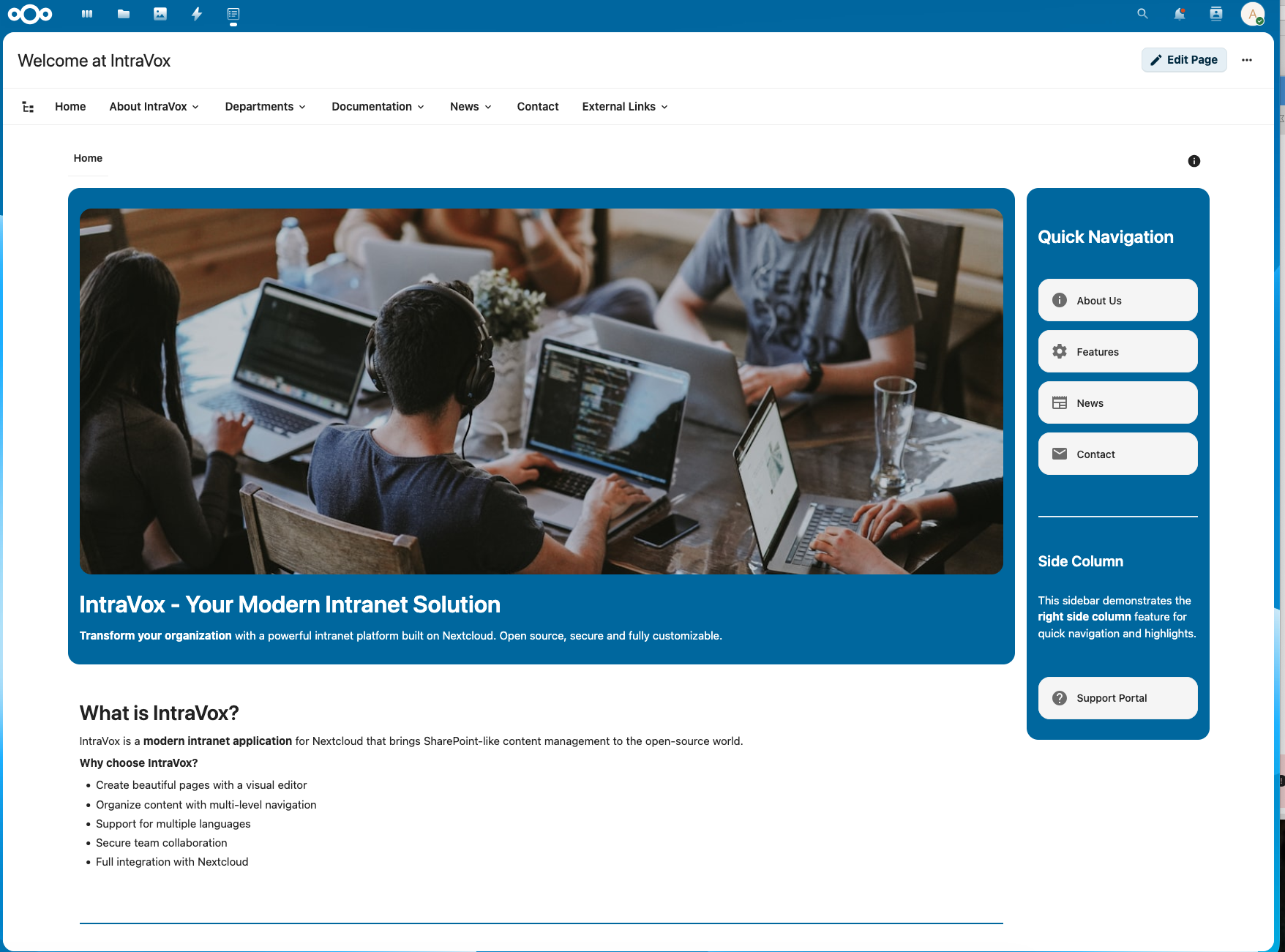
A typical IntraVox-built intranet — drag-and-drop widgets, multi-column rows, and a tree-shaped navigation, all served from Nextcloud itself.
Quick Navigation
For Users
Learn how to create pages, use widgets, and work with content.
- Overview — What IntraVox is and how it fits in your daily workflow
- Editor Guide — Create and edit pages, work with widgets and content blocks
- Templates — Start new pages from templates
- Versioning — Page version history, preview, and restore
- Engagement — Reactions and comments
- Public Sharing — Share pages externally with link tokens
- RSS Feeds — Personal RSS feeds with token authentication
- Accessibility — WCAG 2.1 AA compliance and accessibility features
For Administrators
Installation, configuration, scenarios, and operations.
- Admin Guide — Day-to-day administration
- Settings — Admin panel reference
- Authorization — Roles, permissions, and GroupFolder ACL
- Engagement Settings — Configure reactions and comments
- Scalability — Capacity planning and tuning
- Security — Security model and sanitization layers
- Scenarios — Practical recipes (approval workflows, department intranets, more)
- Showcases — Example deployments
- Export & Import — Move content between instances, including MetaVox integration
Features
Per-feature documentation for widgets and capabilities.
- Calendar Widget — Embed calendar events on pages
- Feed Widget — External feeds (Moodle, Jira, SharePoint, ICS, RSS)
- File Story Widget — Folder-as-document-stream rendering, federation-aware
- News Widget — Folder-as-feed news rendering
- People Widget — Show people from groups
- Photo Story Widget — Folder-as-photo-story with EXIF, maps, timeline, and federation
- Engagement Architecture — How reactions and comments work technically
- Confluence Import — Import content from Confluence Cloud, Server, or Data Center
For Architects & Developers
Technical documentation for integration, evaluation, and contribution.
- Architecture Overview — System design and components
- API Reference — REST API endpoints
- API Development Guide — Build against the IntraVox API
- Template API Quickstart — Template API in 5 minutes
- OpenAPI Tooling — Generating and validating OpenAPI specs
- SharePoint Comparison — Decision-maker mapping between SharePoint Online modern pages and IntraVox, including sovereignty and legislation
Architectural Considerations
Design decisions and comparisons that shape the product.
- Nextcloud-Native Architecture — Why "page = folder" inherits enterprise features from Nextcloud
- Collectives Comparison — How IntraVox compares to Nextcloud Collectives
- IntraVox and Nextcloud Teams — Where IntraVox sits alongside Teams, and who owns the link to content
Getting Started
New to IntraVox? Start with the Getting Started Guide for a per-role quickstart.
Support
- Issues & Feature Requests: GitHub Issues
- Source Code: GitHub Repository
License
IntraVox is licensed under the AGPL-3.0 License.