Admin Settings
MetaVox administration settings are accessible at Settings > Administration > MetaVox.
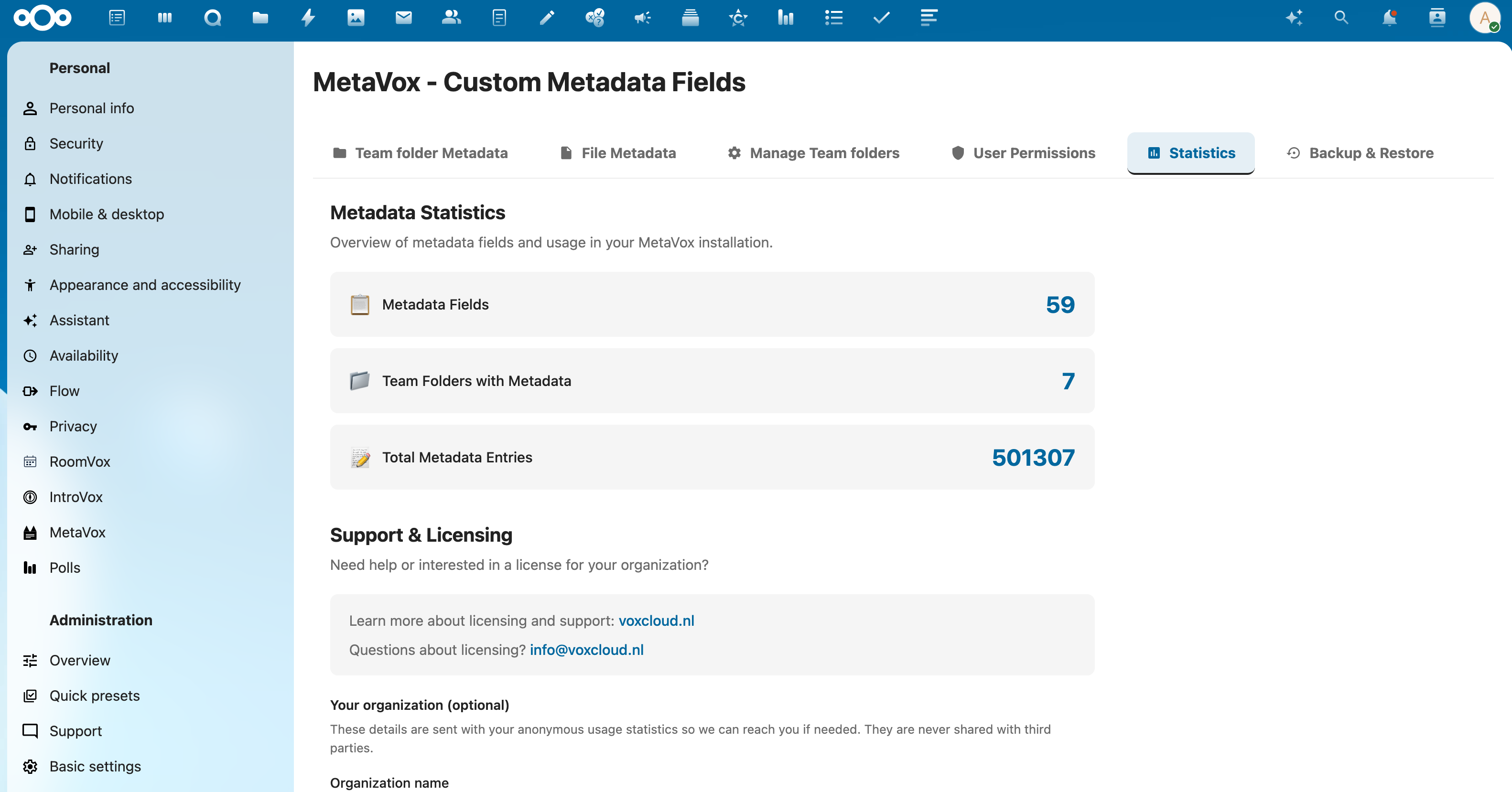
Panes
The page shows one pane at a time. Pick it in the row at the top:
| Pane | What it holds |
|---|---|
| Team folders | Fields for Team folders themselves |
| Files | Fields for files and folders inside Team folders |
| Per folder | Per Team folder: assigned fields, default values, and the Team folder's own metadata |
| Search | The metadata filter in the search bar, and saved filters as folders in Files; see Searching metadata |
| General | What links URL fields take, and AI metadata generation; see Links in URL fields |
| Permissions | The MetaVox manage permission, see Permissions |
| Backup | Backup and restore, see Backup & Restore |
| Support | Subscription key and anonymous usage statistics |
The page remembers the last pane you opened.
Settings
Searching metadata
Two switches under Search:
- Metadata filter in the search bar (default: on): users find files by a field and its value from Nextcloud's search bar. Light: a search reads an index.
- Save a filter as a folder in Files (default: off; Nextcloud 33 and newer): users keep a filter as a folder under Metadata searches in Files. Opening one shows up to the newest 500 files and asks more of the server than a search, so weigh whether your users need it. It only works with the filter on.
A change shows once a page is loaded again. Your choices stay through app updates. Turning the folders off keeps the searches users saved; they come back when you turn it on again.
See Searching Metadata for what users see.
Links in URL fields
On the General pane you decide which links people can save in URL fields:
- Only web and email addresses (default: off): links must start with
http://,https://ormailto:. When off, any link is allowed except one that runs code, such asjavascript:. - Blocked domains: one per line.
.rublocks every.ruaddress,example.comthat site and its subdomains. - Only allow these domains: one per line. Empty: every domain that is not blocked.
The domain of an email address and of an address without https:// counts too. The rules apply to
links people add or change; links already saved stay as they are. A list that holds something that
is no domain is not saved and says why under the list.
AI Metadata Generation
On the General pane, the switch Enable AI metadata generation turns AI metadata suggestions on or off for all users.
- Default: Enabled
- Requires: A Nextcloud AI task processing provider (e.g., LLM2 app)
When enabled and a provider is available, users see a Generate with AI button in the dialog where they edit the metadata of a file or folder. It generates metadata suggestions based on file content.
See AI Autofill for details.
Anonymous Usage Statistics
On the Support pane, under Anonymous usage statistics, the switch Share anonymous usage statistics turns anonymous usage reporting on or off.
- Default: Enabled
- Privacy: Counts, versions and basic server configuration only (no file names, user names, or metadata values)
See Telemetry for details.
Settings API
Get settings
Response:
{
  "success": true,
  "settings": {
    "ai_enabled": false,
    "search_filter": true,
    "search_folders": false
  }
}
Save settings
curl -X POST "https://your-nextcloud.com/apps/metavox/api/settings" \
  -H "Content-Type: application/json" \
  -b "session-cookie" \
  -d '{"ai_enabled": true}'
Send only the settings you change, for example {"search_filter": true, "search_folders": true}.
With occ: occ config:app:set metavox search_filter --value=true --type=boolean.
See Also
- Installation - Initial setup
- AI Autofill - AI feature documentation
- Telemetry - Usage reporting
- Backup & Restore - Metadata backups