IntraVox Showcases
Overview
IntraVox ships with 5 demo showcases that demonstrate the full range of widget types, layout options, and content patterns. Each showcase represents a different organization type with realistic Dutch-language content.
Showcases
1. de-linden — Universiteit De Linden
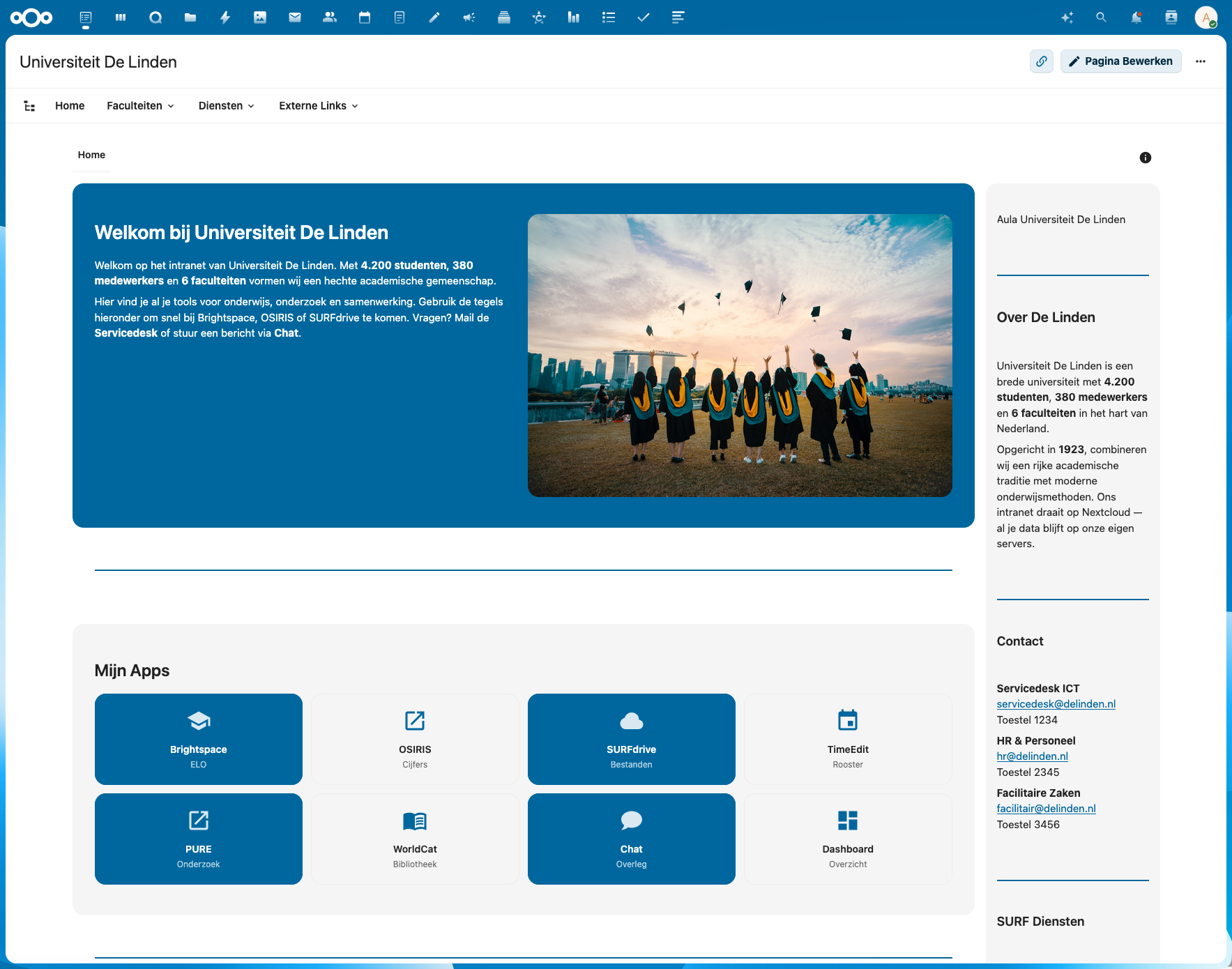
Theme: Higher education — academic, open, knowledge sharing
| Feature | Value |
|---|---|
| Columns | 1, 2, 3, 4 |
| Sidebars | Right |
| Header row | No |
| Photos | 4 (campus, library, aula, studenten) |
Unique widgets: - Video widget (YouTube embed: campus tour) - People widget (grid layout, 3 columns, filter mode) - Links in both tiles and list layout - 4-column row with mixed content (text, image, video)
Content highlights: - Dutch university IT systems: Brightspace, OSIRIS, SURFdrive, TimeEdit, PURE, WorldCat - SURF services in sidebar links (SURFnet, SURFdrive, SURFconext, eduroam) - Collapsible onboarding and FAQ sections
2. van-der-berg — Advocatenkantoor Van der Berg & Partners
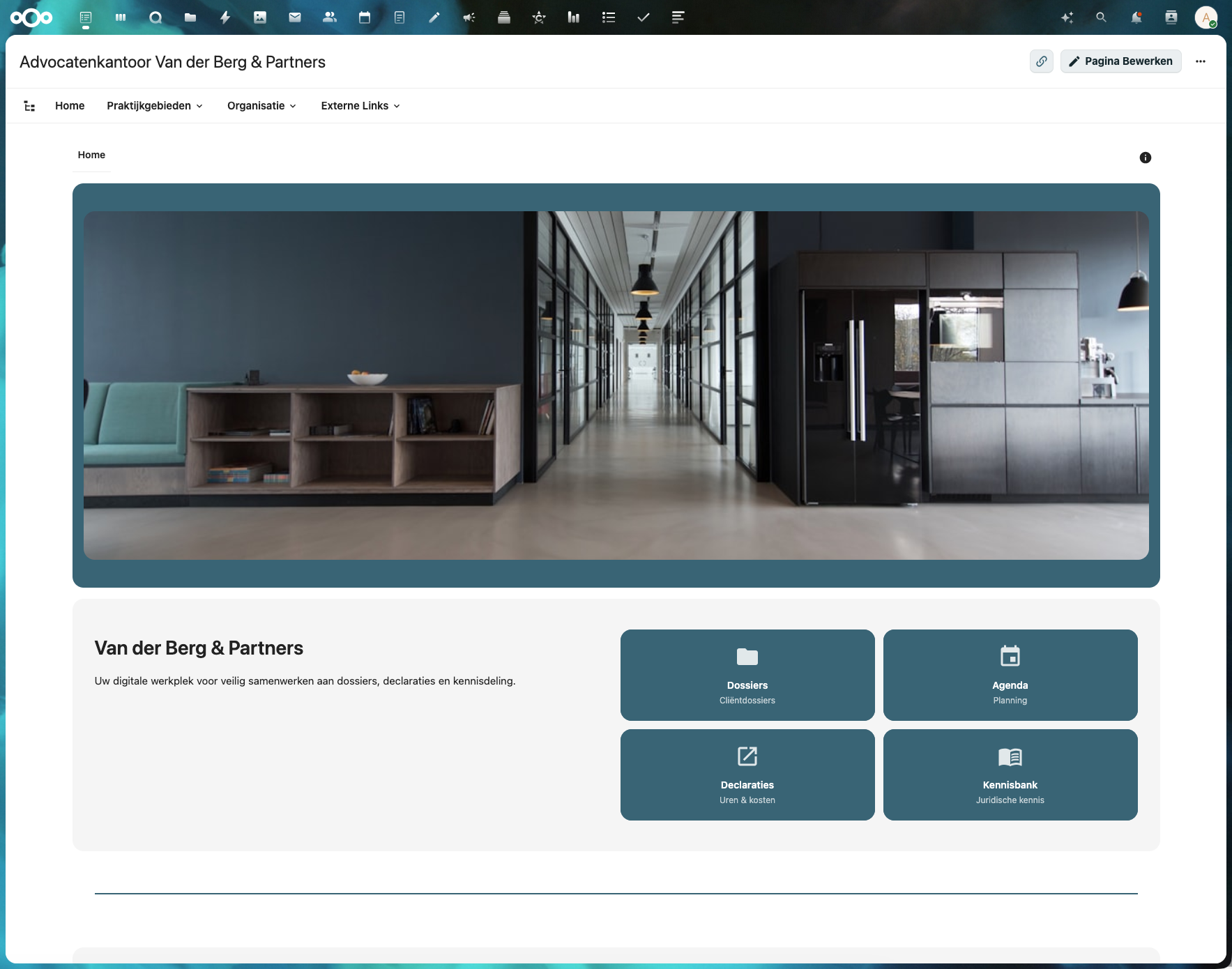
Theme: Legal — professional, premium, confidential
| Feature | Value |
|---|---|
| Columns | 1, 2, 3 |
| Sidebars | None |
| Header row | Yes (full-width office photo) |
| Photos | 3 (kantoor-header, vergaderruimte, kantoor) |
Unique widgets: - Header row with full-width image - News widget (grid layout, 2 columns) - File widgets (3 downloadable documents) - Dashed divider style
Content highlights: - Legal practice areas: Ondernemingsrecht, Arbeidsrecht, Vastgoedrecht - External legal resources: Rechtspraak.nl, KvK, Belastingdienst, Kadaster - Multiple office locations (Amsterdam, Rotterdam, Den Haag)
3. gemeente-duin — Gemeente Duinvoorde
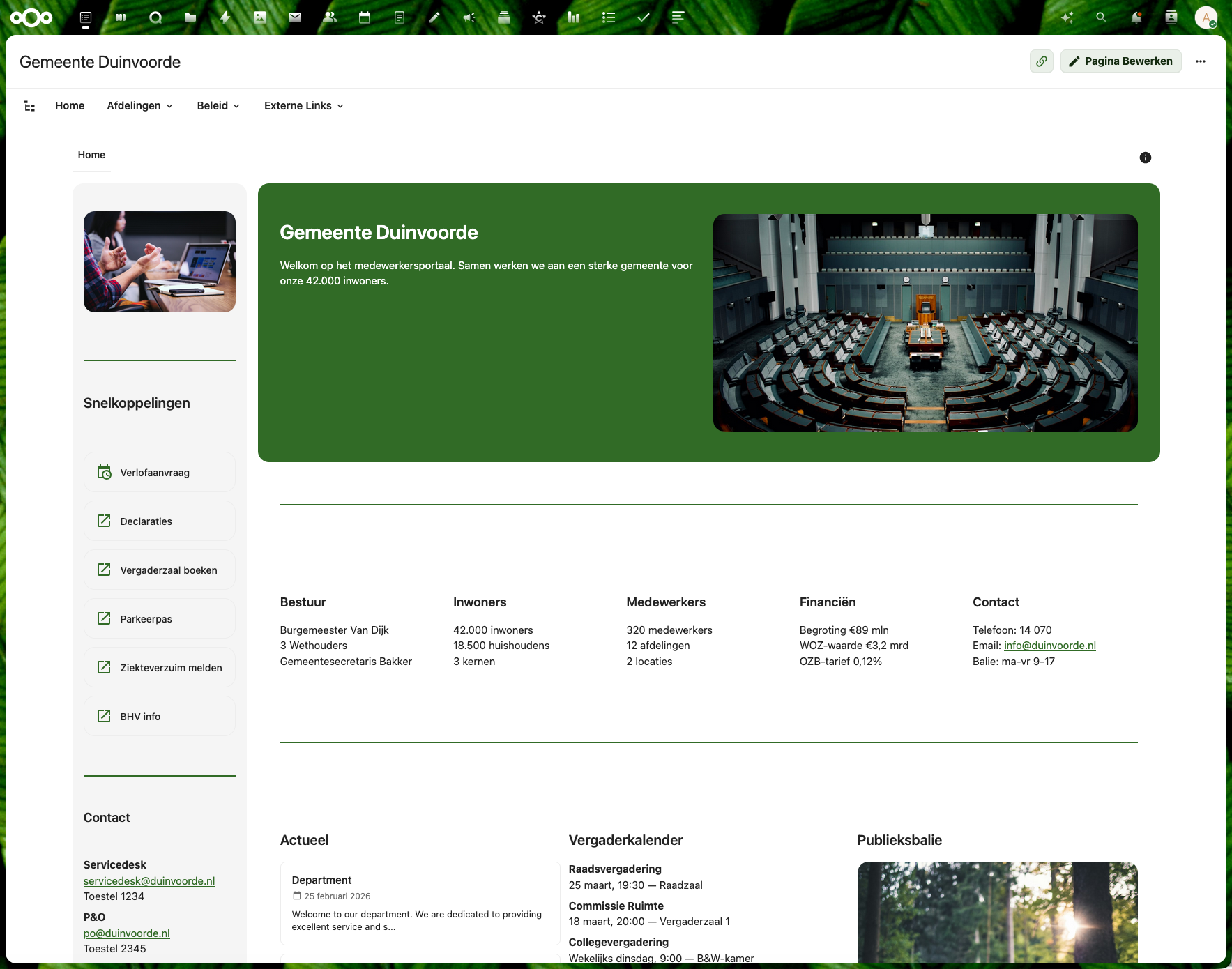
Theme: Government — transparent, service-oriented
| Feature | Value |
|---|---|
| Columns | 1, 2, 3, 5 |
| Sidebars | Left (only showcase with left sidebar) |
| Header row | No |
| Photos | 3 (gemeentehuis, vergadering, balie) |
Unique widgets: - Left sidebar with quick links and contact info - 5-column row (municipality statistics) - News widget (list layout) - Sidebar image at top
Content highlights: - Municipality data: 42.000 inwoners, 320 medewerkers, 12 afdelingen - Government links: VNG, Overheid.nl, KING, Waarstaatjegemeente.nl - Council meeting schedule, public service desk hours
4. de-bron — Zorggroep De Bron
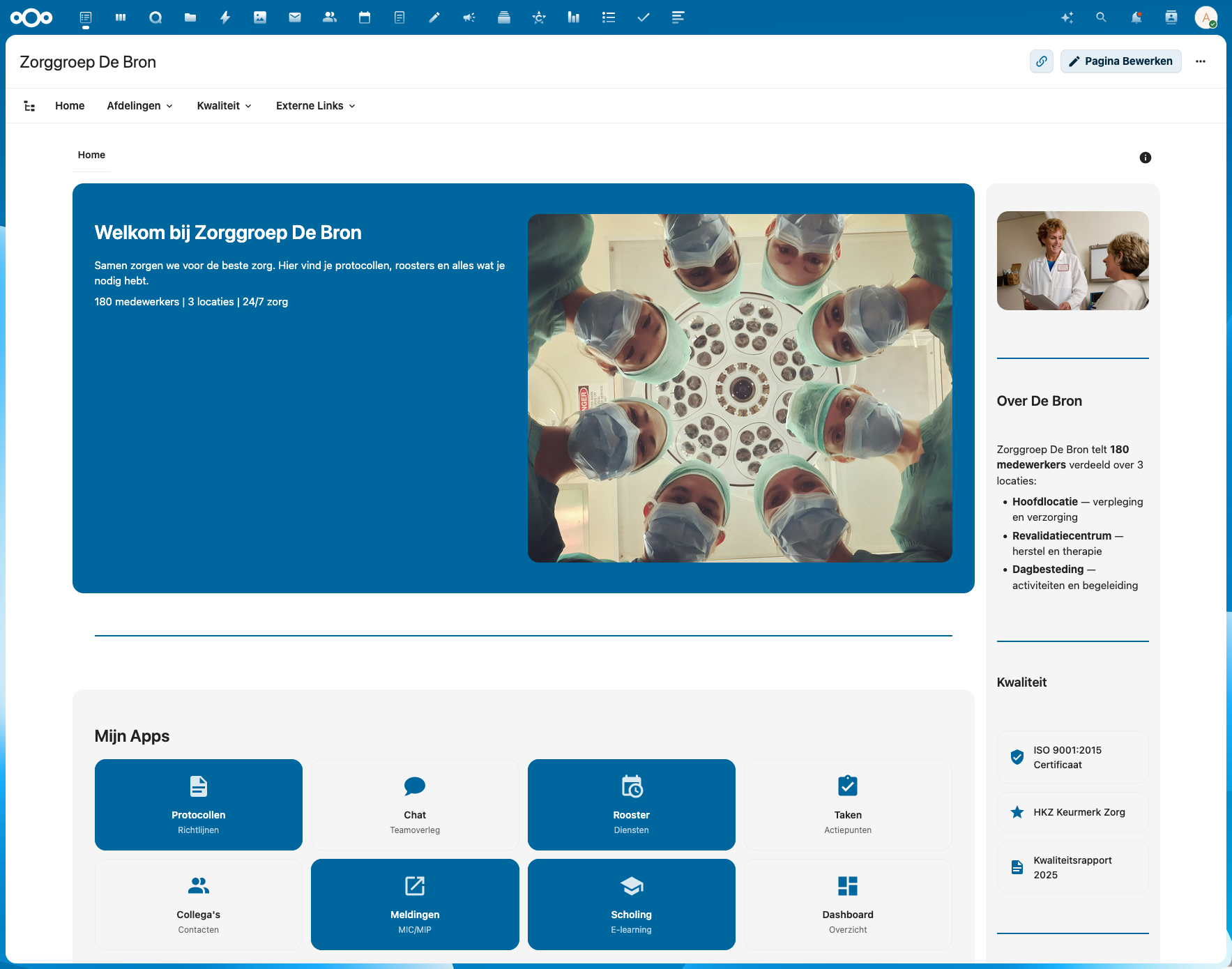
Theme: Healthcare — warm, practical, patient-centered
| Feature | Value |
|---|---|
| Columns | 1, 2, 4 |
| Sidebars | Right |
| Header row | No |
| Photos | 3 (zorgteam, verpleging, locatie) |
Unique widgets: - People widget (card layout, 2 columns) - Video widget (healthcare instruction video) - File widgets (4 protocol documents) - Dashed divider within content row - 4-column department overview
Content highlights: - Healthcare departments: Verpleging, Revalidatie, Dagbesteding, Thuiszorg - Quality certifications: ISO 9001:2015, HKZ Keurmerk - External healthcare links: RIVM, V&VN, IGJ, Vilans, ActiZ - MIC/MIP incident reporting, scholingspunten
5. horizon-labs — Horizon Labs
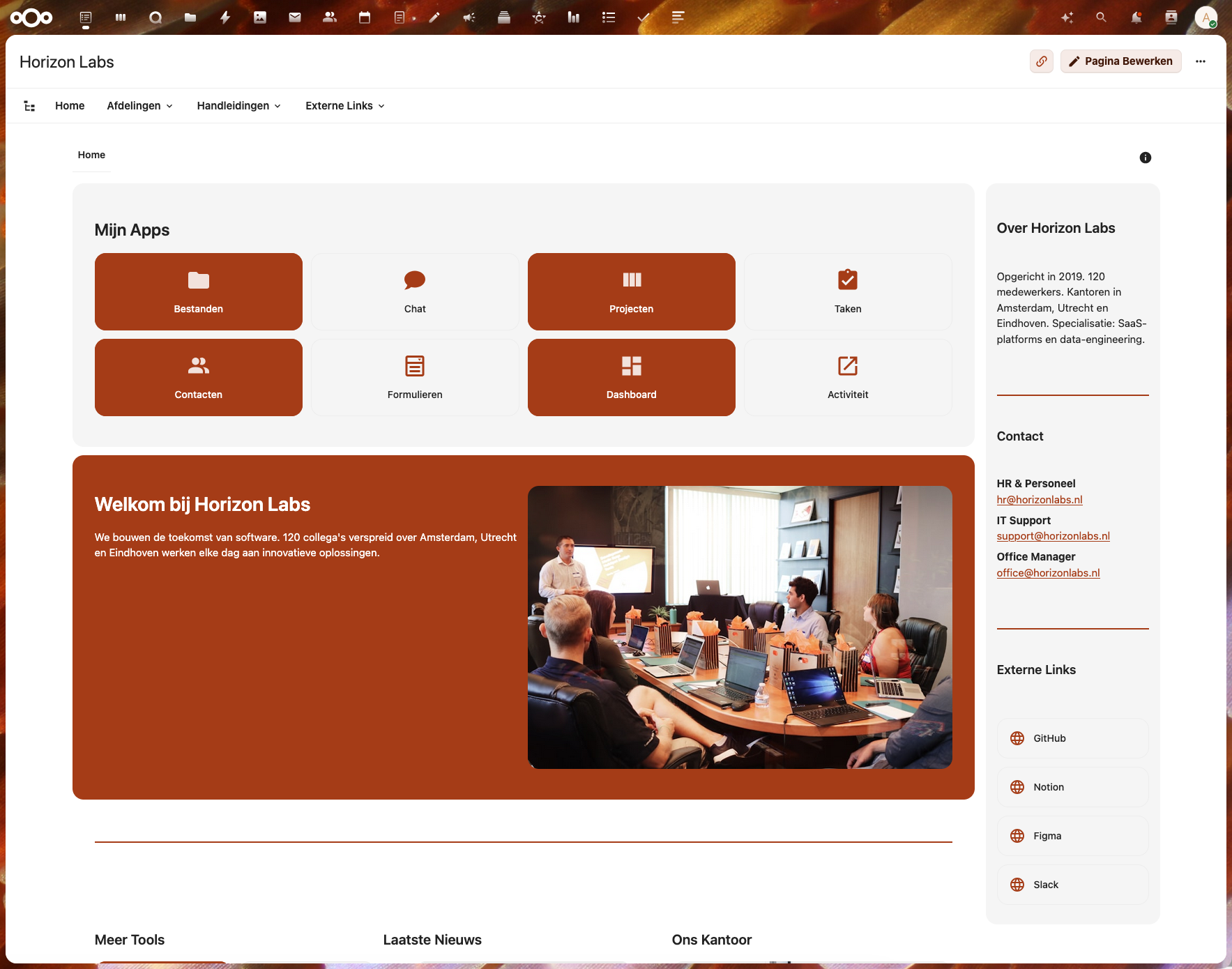
Theme: Tech startup — modern, dynamic, innovative
| Feature | Value |
|---|---|
| Columns | 1, 2, 3 |
| Sidebars | Right |
| Header row | No |
| Photos | 2 (team, workspace) |
Unique widgets:
- News widget (carousel layout with autoplay)
- var(--color-primary-element-light) culture row
- Links tiles with alternating background colors
Content highlights: - Tech tools: Collabora, Diagrammen, Tabellen, Peilingen - Sprint reviews, hackathons, tech talks - Offices in Amsterdam, Utrecht, Eindhoven
Widget Coverage Matrix
| Widget | de-linden | van-der-berg | gemeente-duin | de-bron | horizon-labs |
|---|---|---|---|---|---|
| heading | x | x | x | x | x |
| text | x | x | x | x | x |
| image | x (4) | x (3) | x (3) | x (3) | x (2) |
| links (tiles) | x | x | x | x | x |
| links (list) | x | x | x | x | x |
| divider | x | x | x | x | x |
| divider (dashed) | x | x | |||
| video | x | x | |||
| news (list) | x | ||||
| news (grid) | x | ||||
| news (carousel) | x | ||||
| people (grid) | x | ||||
| people (card) | x | ||||
| file | x | x | |||
| collapsible | x | x | x | x | |
| header row | x | ||||
| left sidebar | x | ||||
| right sidebar | x | x | x |
Technical Structure
Each showcase follows this file structure:
showcases/{name}/
├── export.json          # Full export with content wrapper (for import)
├── {name}.zip           # Ready-to-import ZIP file
├── *.jpg                # Source photos (Unsplash, royalty-free)
└── nl/
    ├── home.json        # Page data (without content wrapper)
    ├── navigation.json  # Megamenu navigation structure
    ├── footer.json      # Footer content
    └── _media/          # Photos for import (copied from root)
        └── *.jpg
Export Format
The export.json wraps the page data for import:
{
    "exportVersion": "1.3",
    "schemaVersion": "1.3",
    "exportDate": "2026-03-07T12:00:00.000Z",
    "exportedBy": "IntraVox Showcase - {Name}",
    "requiresMinVersion": "0.8.11",
    "language": "nl",
    "pages": [{
        "_exportPath": "home",
        "uniqueId": "page-...",
        "title": "...",
        "content": { /* full home.json content */ }
    }],
    "navigation": { /* navigation.json */ },
    "footer": { /* footer.json */ },
    "comments": []
}
Background Colors
Showcases only use CSS variables that have proper text contrast handling:
| Variable | Appearance | Text color |
|---|---|---|
var(--color-primary-element) |
Theme primary (dark blue) | White (automatic) |
var(--color-primary-element-light) |
Light tint of primary | Dark (automatic) |
var(--color-background-hover) |
Light gray | Dark (automatic) |
rgba(0,0,0,0.05) |
Subtle gray | Dark |
| (empty string) | Transparent | Dark |
Note: Hex colors like #1a3a5c are technically supported by the backend but do NOT get automatic text color contrast. Always use CSS variables for proper theming.
Image Handling
Images must be placed in the nl/_media/ folder for the import to work correctly. The src field in image widgets contains just the filename (e.g., "campus.jpg"), not a full path. During import, files from _media/ are copied to the page's media folder.
People Widget Portability
People widgets use selectionMode: "filter" (not "manual") so they work on any Nextcloud instance regardless of which user accounts exist. They automatically show available users.
Importing a Showcase
- Go to Admin Settings > IntraVox > Import tab
- Upload the
{name}.zipfile - Enable "Overwrite existing pages" if replacing
- Click Import
- The showcase page, navigation, footer, and media are imported
Creating New Showcases
When creating a new showcase:
- Use only CSS variables for
backgroundColor(no hex colors) - Place images in
nl/_media/folder - Use
selectionMode: "filter"for people widgets - Ensure all widget
columnvalues match the row'scolumnscount - Include
export.json(with content wrapper) andnl/home.json(without) - Test import on a clean installation
Last Updated: 2026-03-07