Admin Settings Reference
Reference for every option in Settings → Administration → RoomVox.
Tabs Overview
| Tab | Purpose |
|---|---|
| Rooms | Room CRUD, permissions, room groups |
| Bookings | Approve/decline, list/calendar view, drag-and-drop move |
| Import / Export | Bulk CSV operations |
| Settings | App-wide defaults — room types, email, telemetry, API tokens |
| Statistics | Usage data |
General Settings
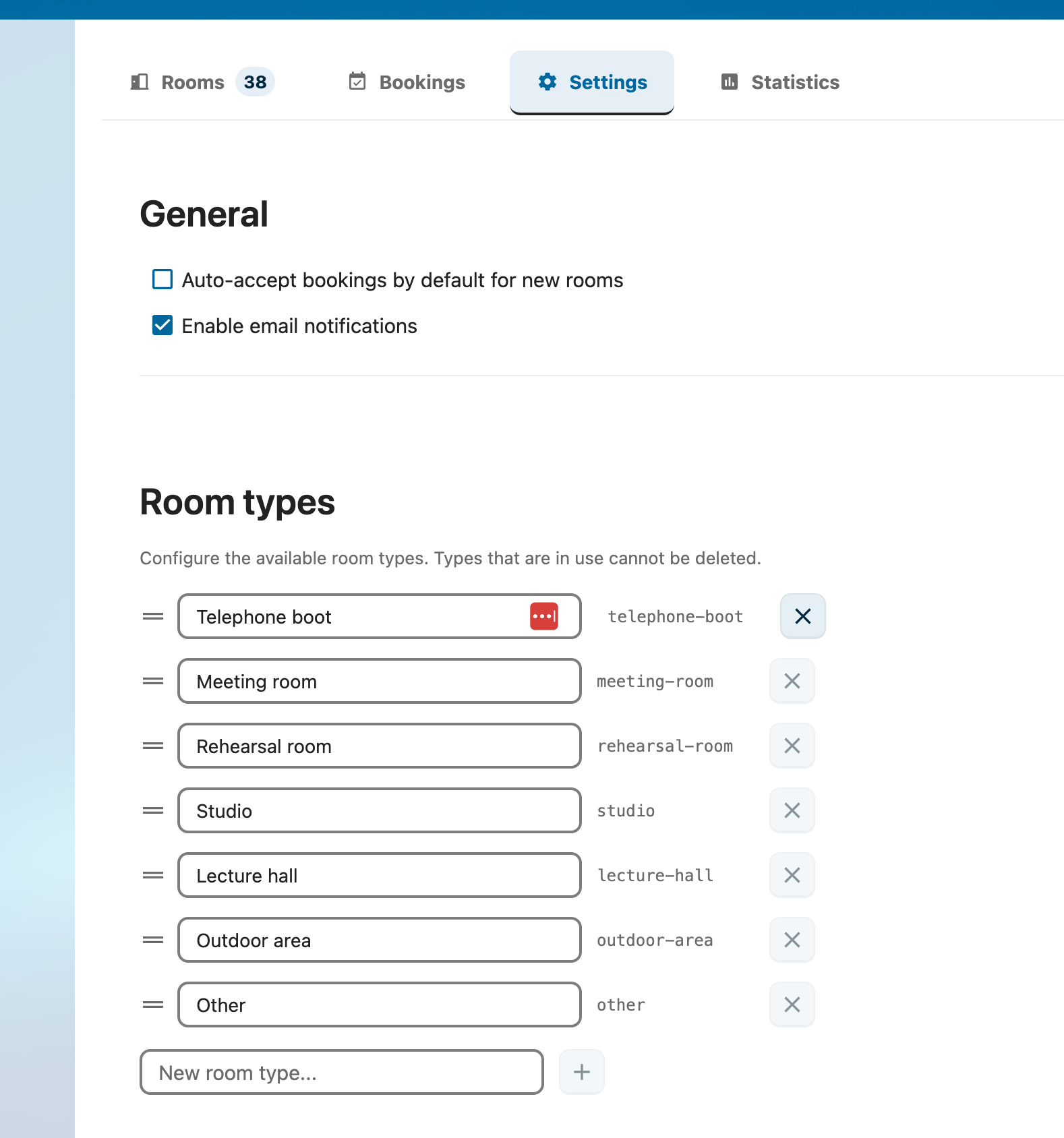
Default Auto-Accept
Function: Default value for new rooms' auto-accept toggle.
| State | Behavior |
|---|---|
| ✅ Checked | New rooms confirm bookings automatically when there's no conflict |
| ☐ Unchecked | New rooms mark bookings as Tentative; a Manager must approve |
Each room can override this in its own editor.
Storage: appconfig key defaultAutoAccept ('true' / 'false')
Enable Email Notifications
Function: Master switch for all RoomVox email notifications.
When off, RoomVox sends no confirmation/decline/approval/cancellation emails — even if Nextcloud SMTP is configured. Useful during maintenance or initial setup.
Storage: appconfig key emailEnabled ('true' / 'false')
Show Weekends in Calendar
Function: Controls whether weekend days are visible in the booking calendar view.
This is a display setting only — it does not prevent weekend bookings. To restrict bookings to weekdays, use Availability Rules on individual rooms instead.
Room Types
Function: Define the room types users can pick from when creating a room.
Defaults (English):
- Meeting Room
- Rehearsal Room
- Studio
- Lecture Hall
- Telephone Booth
- Outdoor Area
- Other
You can add, edit, remove, or reorder types via drag handles. Types are published as a CalDAV property ({http://nextcloud.com/ns}room-type), allowing calendar apps to filter by type.
Storage: appconfig key roomTypes (JSON array)
API Tokens
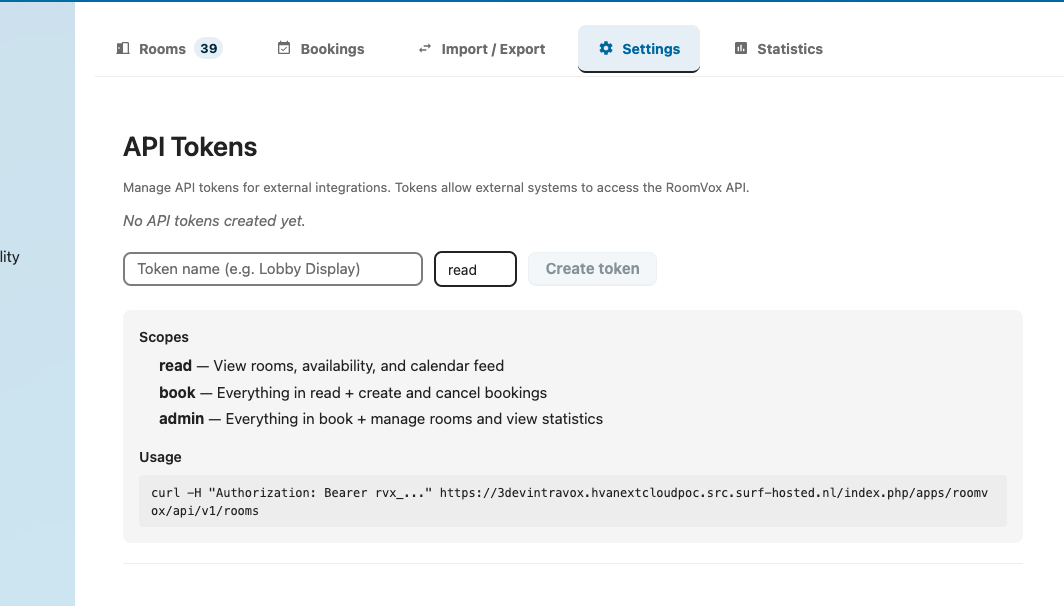
Function: Bearer tokens for the Public API.
Token Properties
| Field | Description |
|---|---|
| Name | Free-text label (e.g., Lobby Display) |
| Scope | read, book, or admin |
| Restrict to rooms | Optional — limit access to specific rooms |
| Expires | Optional expiration date |
Scopes
| Scope | Allows |
|---|---|
read |
List rooms, read bookings, read availability |
book |
Above + create bookings |
admin |
Above + statistics + admin operations |
Tokens are shown once at creation — copy immediately. After creation only the prefix (rvx_xxxx...) is shown.
See Public API and API Reference for details.
Exchange Sync (Optional)
Configure Microsoft Graph credentials for bidirectional Exchange sync. See Exchange Integration for the full architecture.
Settings:
| Field | Description |
|---|---|
| Tenant ID | Microsoft Azure tenant ID |
| Client ID | App registration client ID |
| Client Secret | App registration secret |
| Globally enabled | Master switch for Exchange sync across all rooms |
| Inline-sync throttle | Per-room minimum interval between webhook-triggered syncs |
| Inline-sync rate limit | Global rate cap to prevent overload |
Per-room Exchange linking happens in the room editor.
Support Tab
Subscription Key (Enterprise)
Configure your VoxCloud subscription key for Enterprise activation. Free tier is fully featured up to the volume limit (no feature gating).
Telemetry
| Toggle | Effect |
|---|---|
| Share usage statistics | Switches the daily usage statistics on or off (off until an administrator agrees) |
| Send report now | Manually trigger a report |
This is the only switch for usage statistics. See Usage statistics for what is sent and why.
Per-Room vs. App-Wide
| Setting | Scope |
|---|---|
defaultAutoAccept |
App-wide default; per-room override available |
emailEnabled |
App-wide; no per-room override |
roomTypes |
App-wide |
showWeekendsInCalendar |
App-wide display preference |
telemetry_enabled |
App-wide |
| API tokens | App-wide, optionally room-scoped |
| Exchange sync | App-wide credentials + per-room link |
Per-room settings (auto-accept, availability rules, booking horizon, SMTP, Exchange link) live in the room editor — see Managing Rooms.
Where Settings Are Stored
All RoomVox settings live in Nextcloud's oc_appconfig table (key-value, no custom tables). Inspect with:
sudo -u www-data php occ config:app:get roomvox defaultAutoAccept
sudo -u www-data php occ config:app:get roomvox emailEnabled
sudo -u www-data php occ config:app:get roomvox roomTypes
sudo -u www-data php occ config:app:get roomvox rooms_index
sudo -u www-data php occ config:app:get roomvox room/<roomId>
See Backend Architecture for the full storage model.
See Also
- Admin Guide — day-to-day administration
- Managing Rooms — per-room configuration
- Public API — API token usage
- Usage statistics — what is sent and why