Theme Support
IntroVox automatically adapts to all Nextcloud themes. No configuration needed.
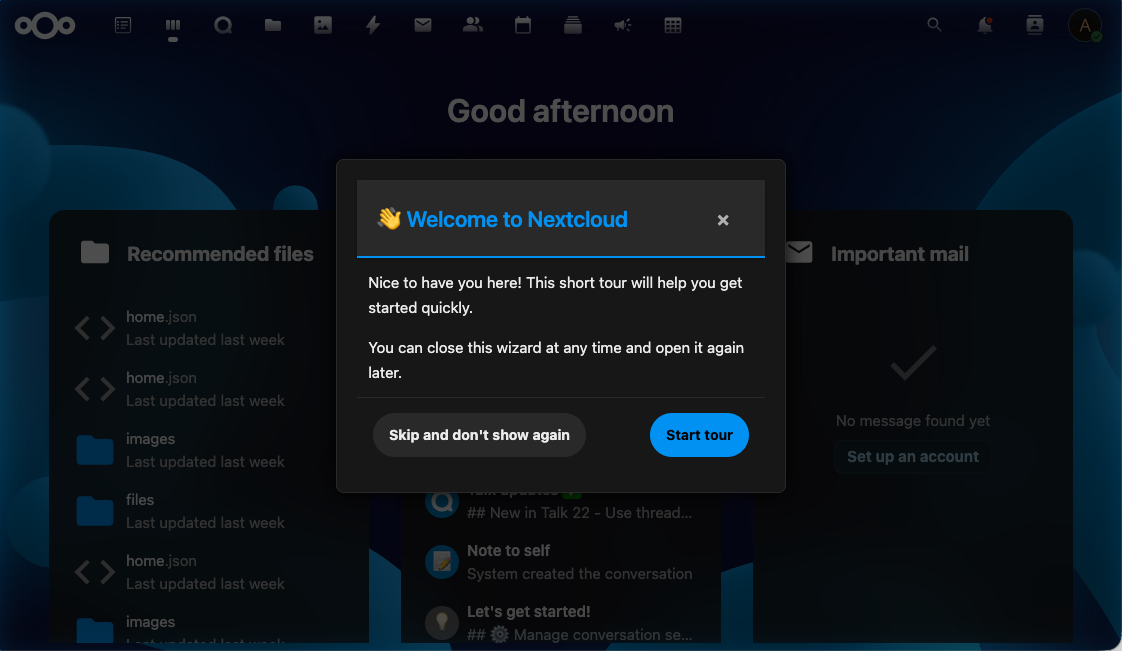
Supported Themes
- ✅ Light mode (default)
- ✅ Dark mode (via system preference or Nextcloud setting)
- ✅ High contrast mode (accessibility)
- ✅ Custom themes (via the Nextcloud Theming app)
How It Works
The wizard uses Nextcloud's CSS variables rather than hardcoded colors:
| Variable | Purpose |
|---|---|
--color-main-background |
Step background |
--color-main-text |
Body text |
--color-primary-element |
Accent (buttons, highlight borders) |
--color-border |
Step container border |
--color-background-hover |
Hover states on buttons |
Because these variables are scoped to the document and updated by Nextcloud's theming system, the wizard automatically picks up any theme change — including custom themes deployed via the Theming app.
Accessibility
Reduced Motion
If the user's system has the "reduce motion" accessibility preference enabled, the tour keeps still:
- Steps appear without fading in
- The arrow and the outline around a step's element stand still
- GIFs and videos don't play by themselves; they start with their play button
- The tour jumps to a step instead of scrolling smoothly, and so does the step list on the admin page
For everyone else, the arrow and the outline blink a few times and then stay still too, instead of blinking for as long as the step shows.
High Contrast
In high-contrast mode, the wizard uses enhanced border widths and color contrasts to remain readable.
Keyboard Focus
All interactive elements have visible focus indicators that adapt to the current theme — they remain clearly visible in both light and dark modes.
Semantic HTML and ARIA
Steps use semantic HTML (Shepherd renders the title as <h3 class="shepherd-title">, actions as <button>) and ARIA labels where needed, so screen readers can announce content correctly.
Custom CSS
IntroVox does not currently support custom CSS overrides via the admin panel. If you need custom styling, you can:
- Use the Nextcloud Theming app to adjust global CSS variables (changes apply to IntroVox automatically)
- Deploy custom CSS at the Nextcloud level (via the Theming app's "Custom CSS" feature)
Inline styles inside step HTML are removed when the step is shown (see Inline Styles), so they can't break theme inheritance. Use the Theming app instead.
See Also
- Customization — HTML, CSS selectors, positioning
- Keyboard Navigation — Accessibility features for users
- Architecture Overview — How the frontend integrates with Nextcloud's theming