IntraVox RSS Feed
IntraVox provides a personal RSS feed for each user, allowing them to follow intranet page updates in any RSS reader.
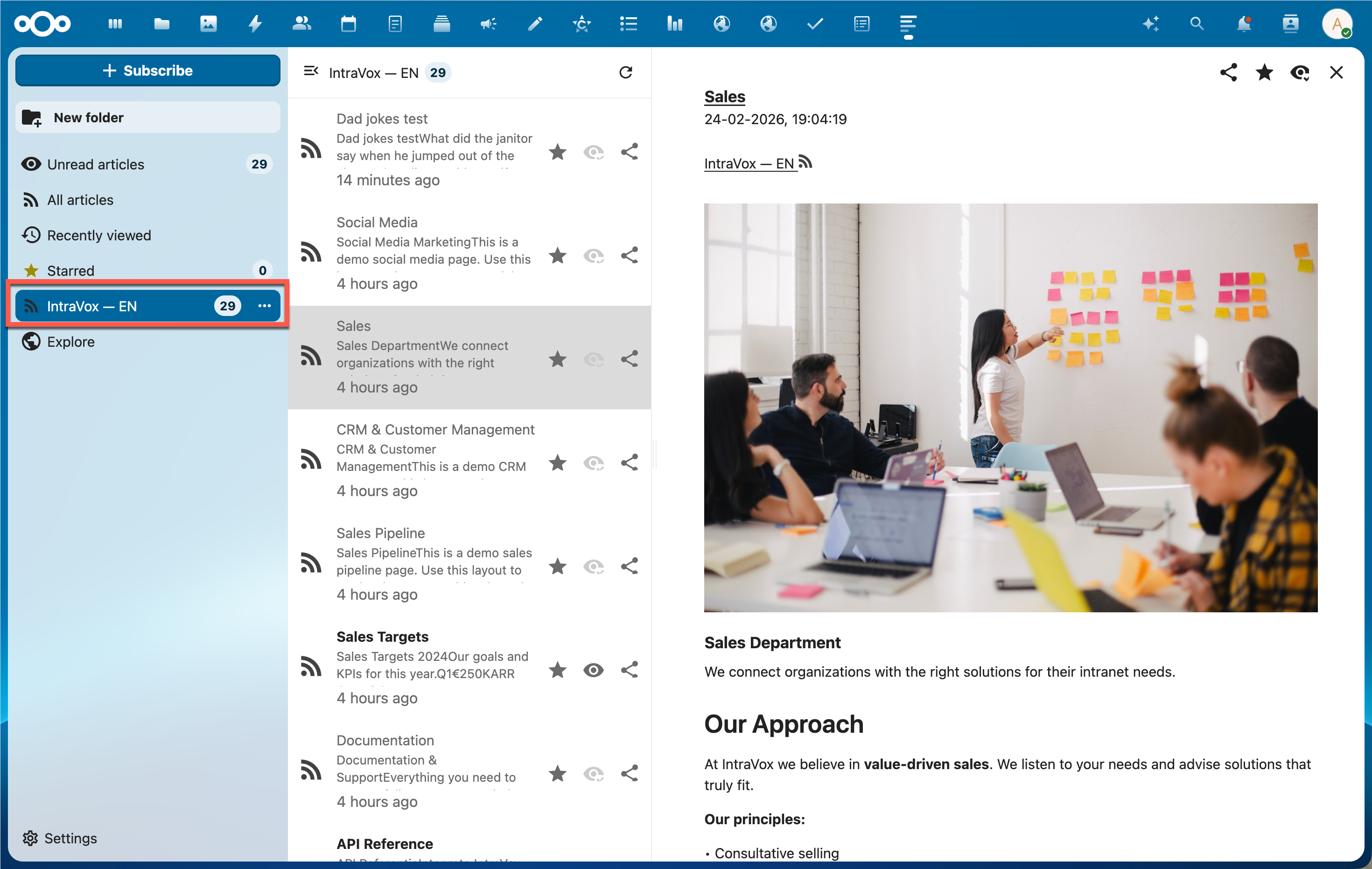
IntraVox feed displayed in Nextcloud News with page content and images
Overview
- Each user can generate a personal feed token via the IntraVox UI
- The feed URL is public (no login required) but secured by a 64-character alphanumeric token
- Feed items include page titles, descriptions, full HTML content, and images
- The feed respects the user's page access permissions
User Setup
Generating a Feed URL
- Open IntraVox
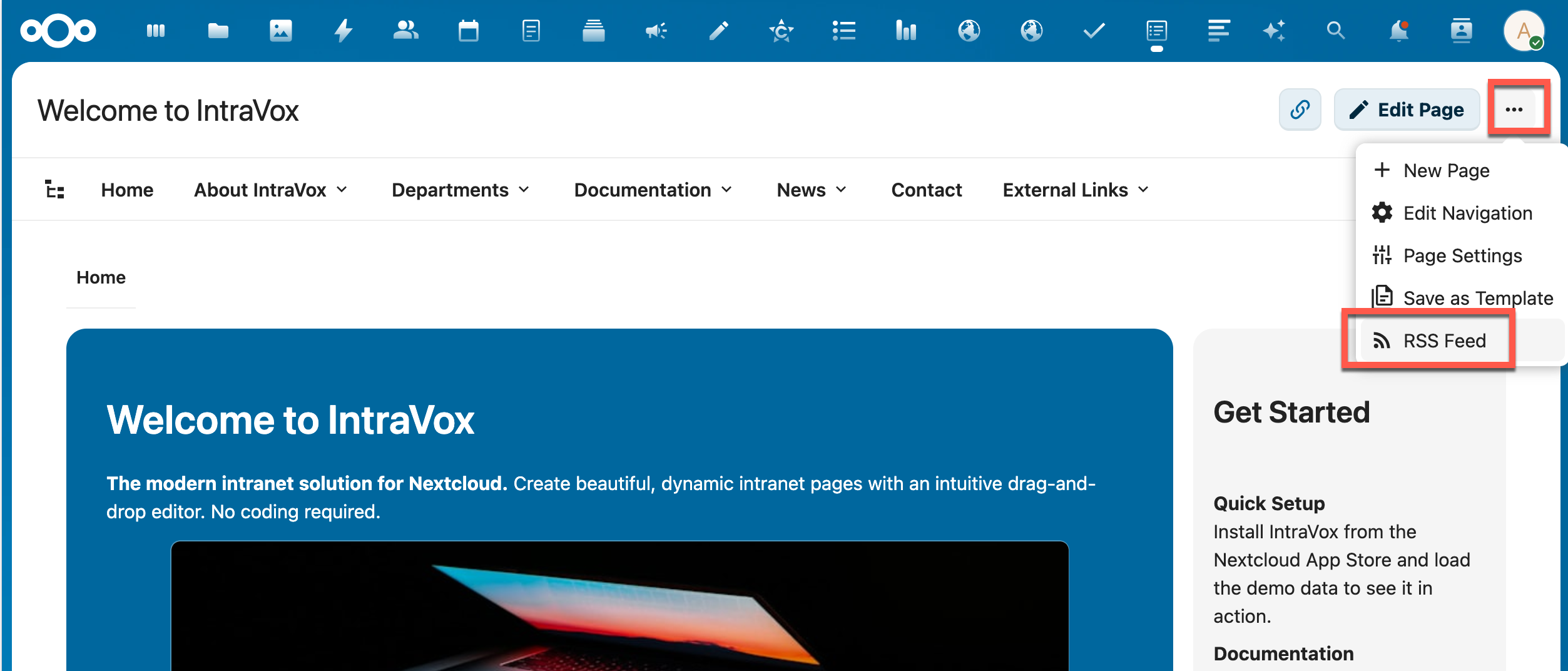
- Click the three dots menu (⋯) in the top-right corner
- Select RSS Feed
- Choose your preferred settings:
- Feed scope: "My language" or "All languages"
- Maximum items: 10, 20, 30, or 50
- Click Generate Feed URL
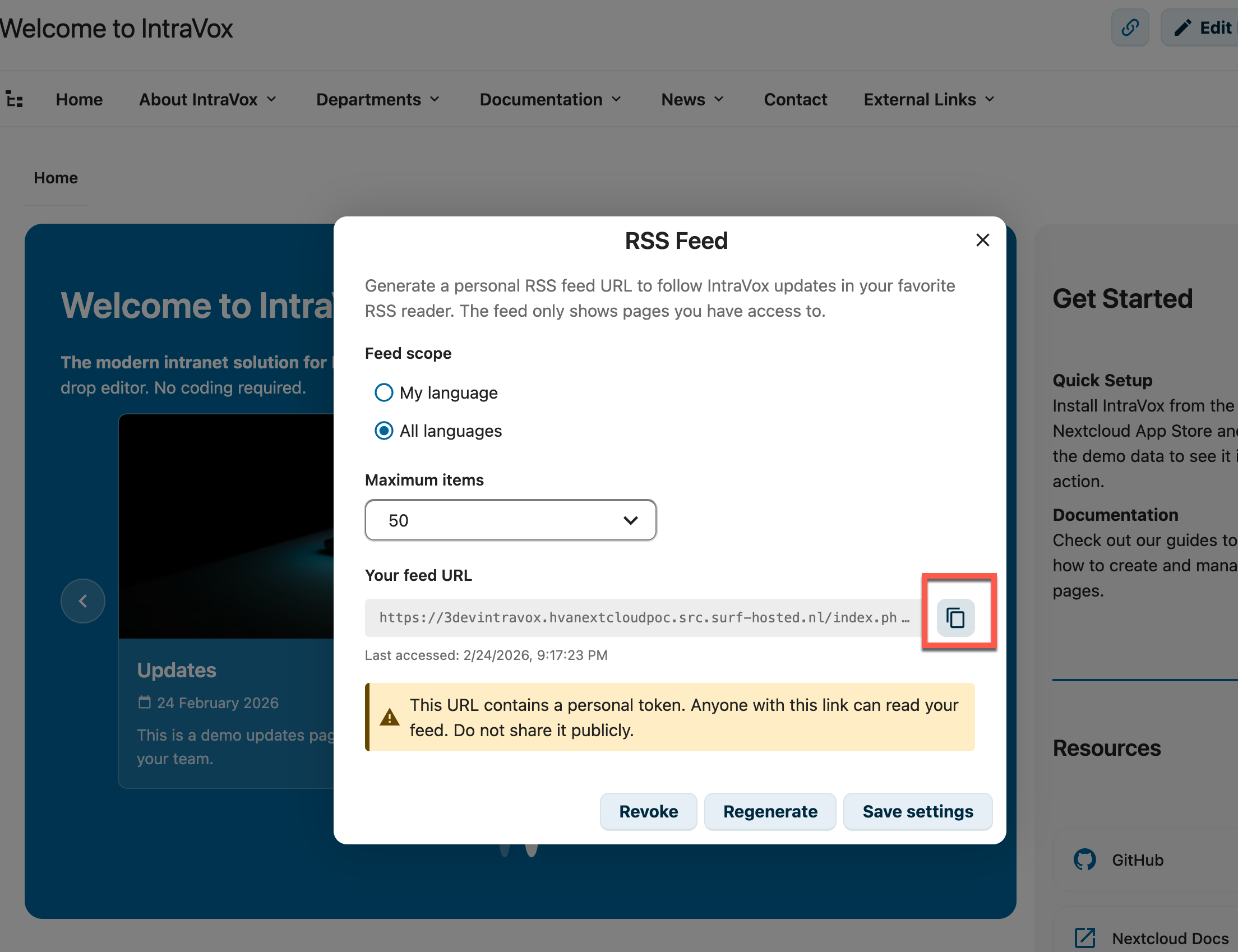
- Copy the URL and add it to your RSS reader
Feed Scope
| Scope | Description |
|---|---|
| My language | Only pages from your current Nextcloud language folder (e.g., en/, nl/) |
| All languages | Pages from all available language folders |
When using "My language", the feed dynamically uses your current Nextcloud language setting. If you change your Nextcloud language, the feed automatically shows pages from the new language.
Managing Your Feed
| Action | Description |
|---|---|
| Save settings | Update scope and limit without changing the URL |
| Regenerate | Create a new token (old URL stops working) |
| Revoke | Delete the token entirely |
Technical Details
Feed Format
The feed is an RSS 2.0 feed with the following extensions:
- atom:link — Self-referencing feed URL
- content:encoded — Full page HTML content with inline images
- media:thumbnail — Page thumbnail image
- media:content — Page image metadata
- Standard enclosure — Page image for readers that support it
Feed URL Structure
Where {token} is a 64-character alphanumeric string unique to each user.
Media URL Structure
Images in the feed are served through a token-authenticated media endpoint:
This allows RSS readers to display images without requiring Nextcloud authentication.
Caching and Conditional Requests
The feed supports efficient polling:
| Header | Description |
|---|---|
ETag |
MD5 hash of the feed content |
Last-Modified |
Timestamp of the most recently modified page |
Cache-Control |
public, max-age=300, must-revalidate (5 minutes) |
RSS readers that send If-None-Match or If-Modified-Since headers receive a 304 Not Modified response when nothing has changed.
Administrator Setup
The RSS feed requires two things to be configured correctly by the administrator:
- Nextcloud link sharing must be enabled (global setting)
- GroupFolder permissions must include both Read and Share on folders that should appear in the feed
Step 1: Enable Link Sharing
The RSS feed is functionally a public share link — it provides anonymous access to IntraVox content via a personal token. Therefore, Nextcloud's global link sharing setting must be enabled:
- Go to Nextcloud Admin Settings → Sharing
- Ensure "Allow users to share via link and emails" is enabled
If this setting is disabled: - Users cannot generate new feed tokens - Existing feed URLs return a 404 error - The feed settings dialog shows a clear error message
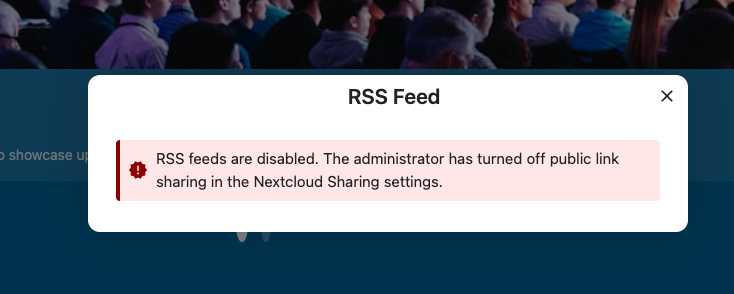
When link sharing is disabled by the administrator, the feed settings dialog shows an error message
When the administrator re-enables link sharing, existing tokens (if not revoked) work again automatically.
Step 2: Configure GroupFolder Permissions
The RSS feed endpoint is a public page (no authenticated user session). In this context, GroupFolders requires both Read and Share permissions for a folder to be visible. Without Share permission, folders are hidden from feed requests and the feed will be empty.
Base permissions (no ACL):
If you are not using ACL (Advanced Permissions), set the base permissions for the user group to Read + Share on the IntraVox GroupFolder:
- Go to Admin → GroupFolders (or Team Folders)
- Find the "IntraVox" folder
- For each user group, enable both Read and Share checkboxes
With ACL (Advanced Permissions):
If you are using ACL to restrict access to specific subfolders, the Share permission must be set at every level of the folder hierarchy that should be visible in the feed. A subfolder is only accessible if all its parent folders are also visible.
Example setup for a user group that should only see Marketing pages in the feed:
| Path | ACL Rule | Effect |
|---|---|---|
| IntraVox root | Read + Share (base permission) | Folder visible |
en/ |
Read + Share | Language folder visible |
en/departments/ |
Read + Share | Parent folder visible |
en/departments/marketing/ |
Read + Share | Marketing pages appear in feed |
en/departments/hr/ |
Deny all | Hidden from feed and IntraVox |
en/departments/sales/ |
Deny all | Hidden from feed and IntraVox |
Important rules: - A child folder cannot be visible if its parent folder is hidden - ACL can only restrict permissions, never exceed the base GroupFolder permissions - If a user reports an empty feed, check Share permission on the language folder(s) first — this is the most common cause
Troubleshooting Empty Feeds
| Symptom | Cause | Fix |
|---|---|---|
| Feed returns empty (no items) | Missing Share permission on language folder | Add Share permission via ACL or base GroupFolder settings |
| Feed returns 404 | Link sharing disabled globally | Enable "Allow users to share via link and emails" in Nextcloud Sharing settings |
| Feed shows some pages but not all | ACL denies access to specific subfolders | Check ACL rules on the subfolder and all parent folders |
| Feed works for admin but not for regular users | Admin group has all permissions, user group missing Share | Add Share permission to the user group |
Security
| Feature | Description |
|---|---|
| Token-based auth | 64-character alphanumeric token |
| Brute force protection | Invalid tokens trigger Nextcloud's brute force throttling |
| Rate limiting | 30 feed requests per minute, 60 media requests per minute |
| Timing-safe | Invalid token responses include a random delay to prevent timing attacks |
| Access control | Feed only includes pages the user has permission to view |
| Sharing policy | Respects Nextcloud's "Allow users to share via link" admin setting |
API Endpoints
| Method | Endpoint | Auth | Description |
|---|---|---|---|
GET |
/apps/intravox/feed/{token} |
Public (token) | Get RSS feed XML |
GET |
/apps/intravox/feed/{token}/media/{pageId}/{filename} |
Public (token) | Get feed media file |
GET |
/apps/intravox/api/feed/token |
Session | Get current user's token info |
POST |
/apps/intravox/api/feed/token |
Session | Generate/regenerate token |
DELETE |
/apps/intravox/api/feed/token |
Session | Revoke token |
PUT |
/apps/intravox/api/feed/config |
Session | Update feed configuration |
Cross-Language Page Links
Feed items link to pages using the IntraVox hash URL format:
When a user clicks a feed link to a page in a different language than their Nextcloud setting, IntraVox automatically searches across all language folders to find the page. This ensures feed links always work regardless of the page's language.