News Widget
The News Widget displays a dynamic list of pages from a selected location in your IntraVox site. It's perfect for showcasing news articles, blog posts, announcements, or any collection of related content.
Features
- Multiple layouts: List, Grid, or Carousel view
- Source selection: Show pages from any folder or section
- MetaVox filtering: Filter pages based on metadata fields (requires MetaVox app)
- Customizable display: Toggle image, date, and excerpt visibility
- Sorting options: Sort by date modified or title
- Autoplay carousel: Configurable interval for automatic rotation
Layouts
List Layout
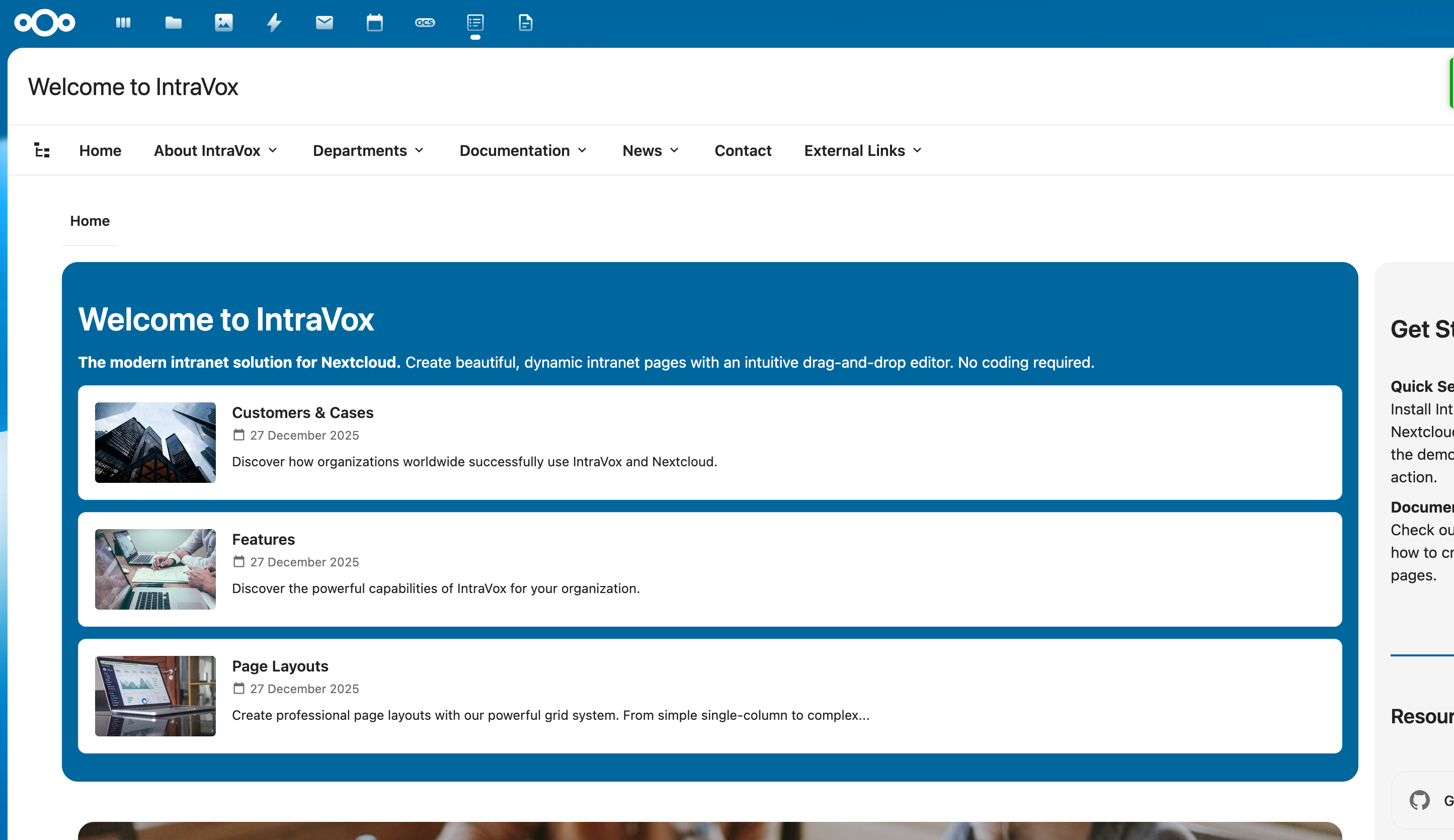
Displays items in a vertical list with thumbnail, title, date, and excerpt.
Grid Layout
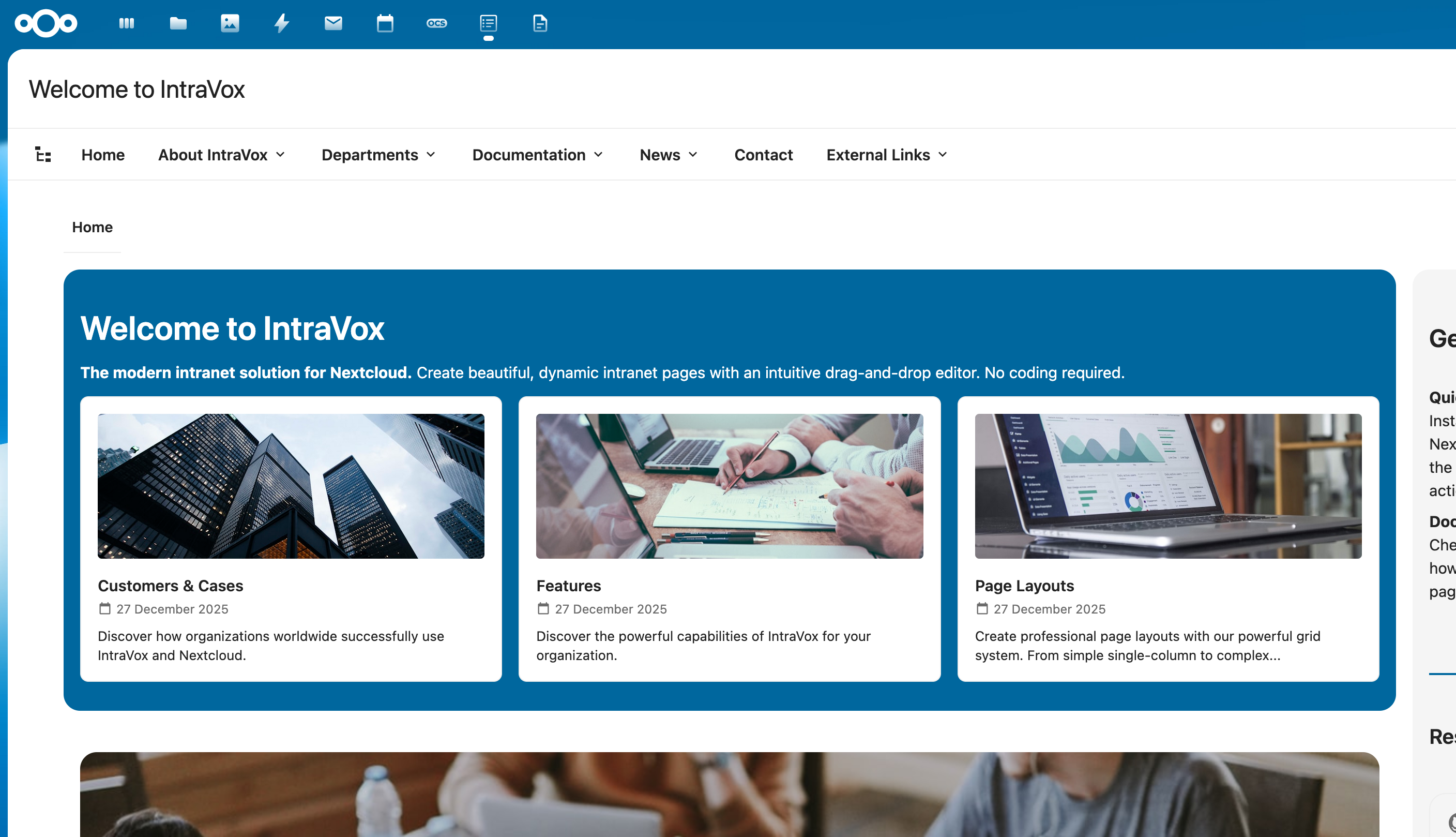
Shows items in a responsive grid with 2, 3, or 4 columns.
Carousel Layout
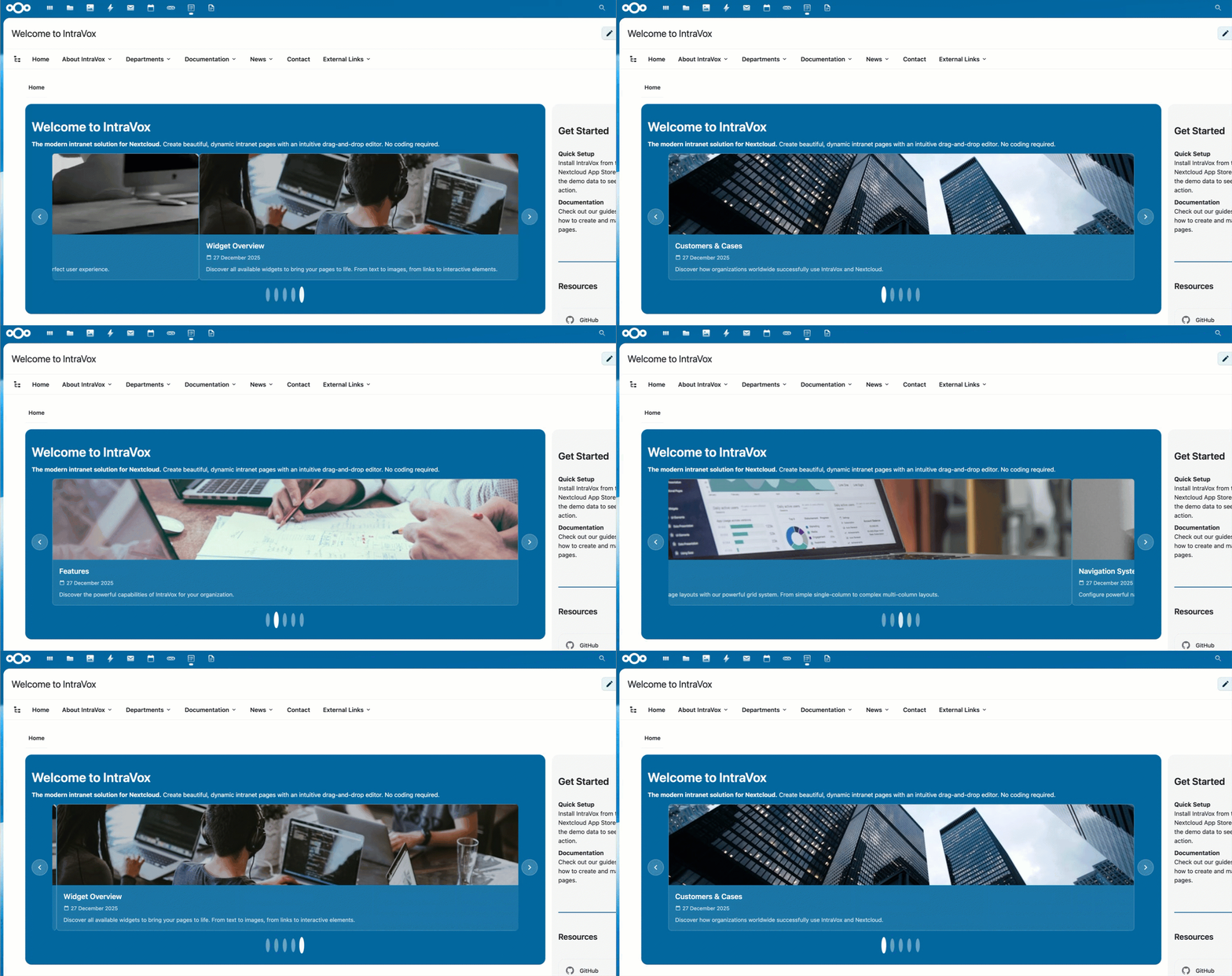
A rotating slideshow with navigation arrows and dot indicators. Supports autoplay with configurable interval.
Configuration
To add a News Widget to your page:
- Click + Add Widget in edit mode
- Select News from the widget picker
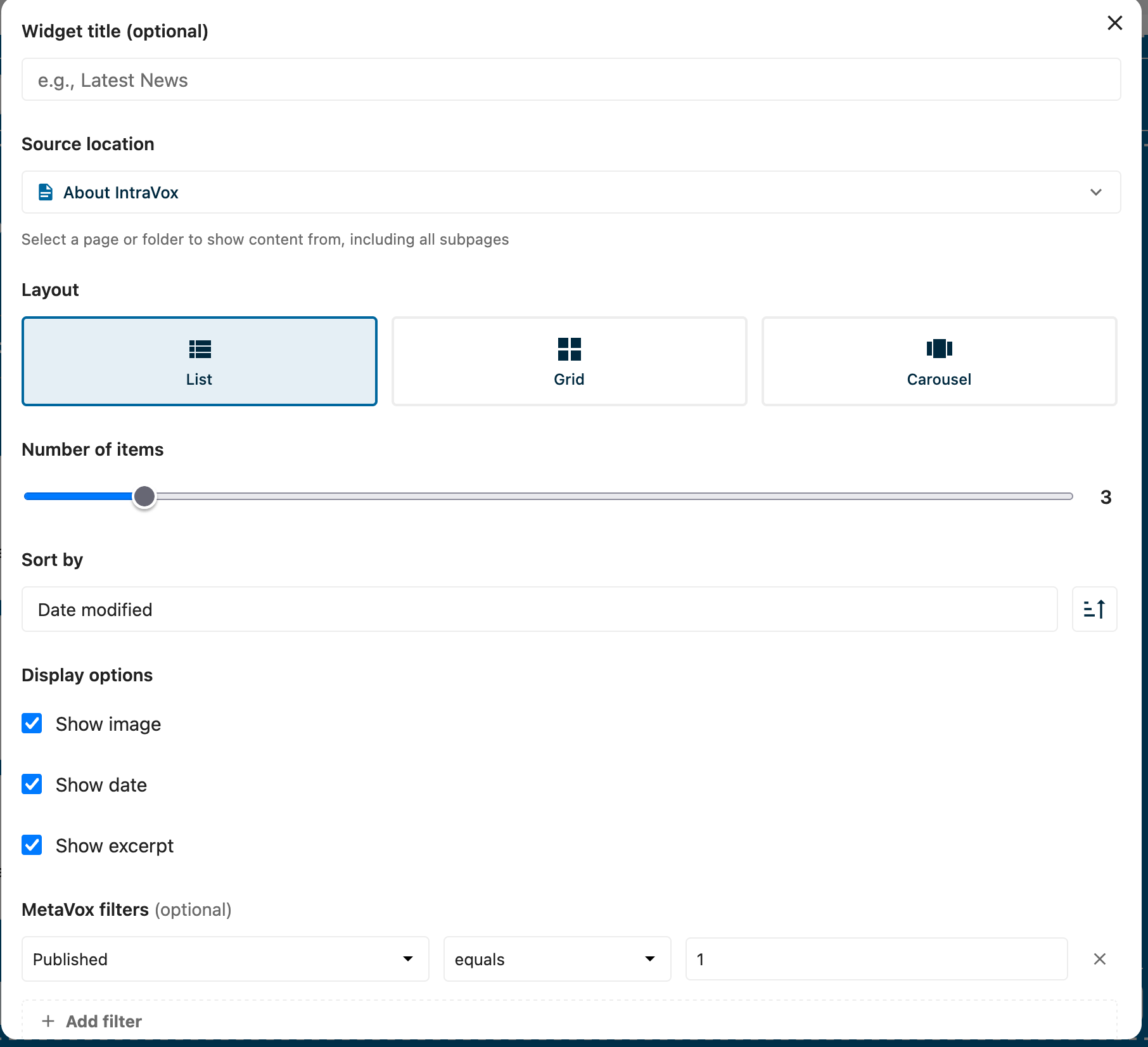
- Configure the widget settings
Settings
| Setting | Description |
|---|---|
| Widget title | Optional title displayed above the widget |
| Source location | Select a page or folder to show content from (includes all subpages) |
| Layout | Choose between List, Grid, or Carousel |
| Columns | For Grid layout: 2, 3, or 4 columns |
| Autoplay interval | For Carousel layout: seconds between slides (0 = disabled) |
| Number of items | Maximum items to display (1-20) |
| Sort by | Date modified or Title |
| Sort order | Ascending or Descending |
| Show image | Display the page's featured image |
| Show date | Display the modification date |
| Show excerpt | Display a text excerpt from the page |
MetaVox Integration
When the MetaVox app is installed and configured, you can filter News Widget results based on metadata fields.
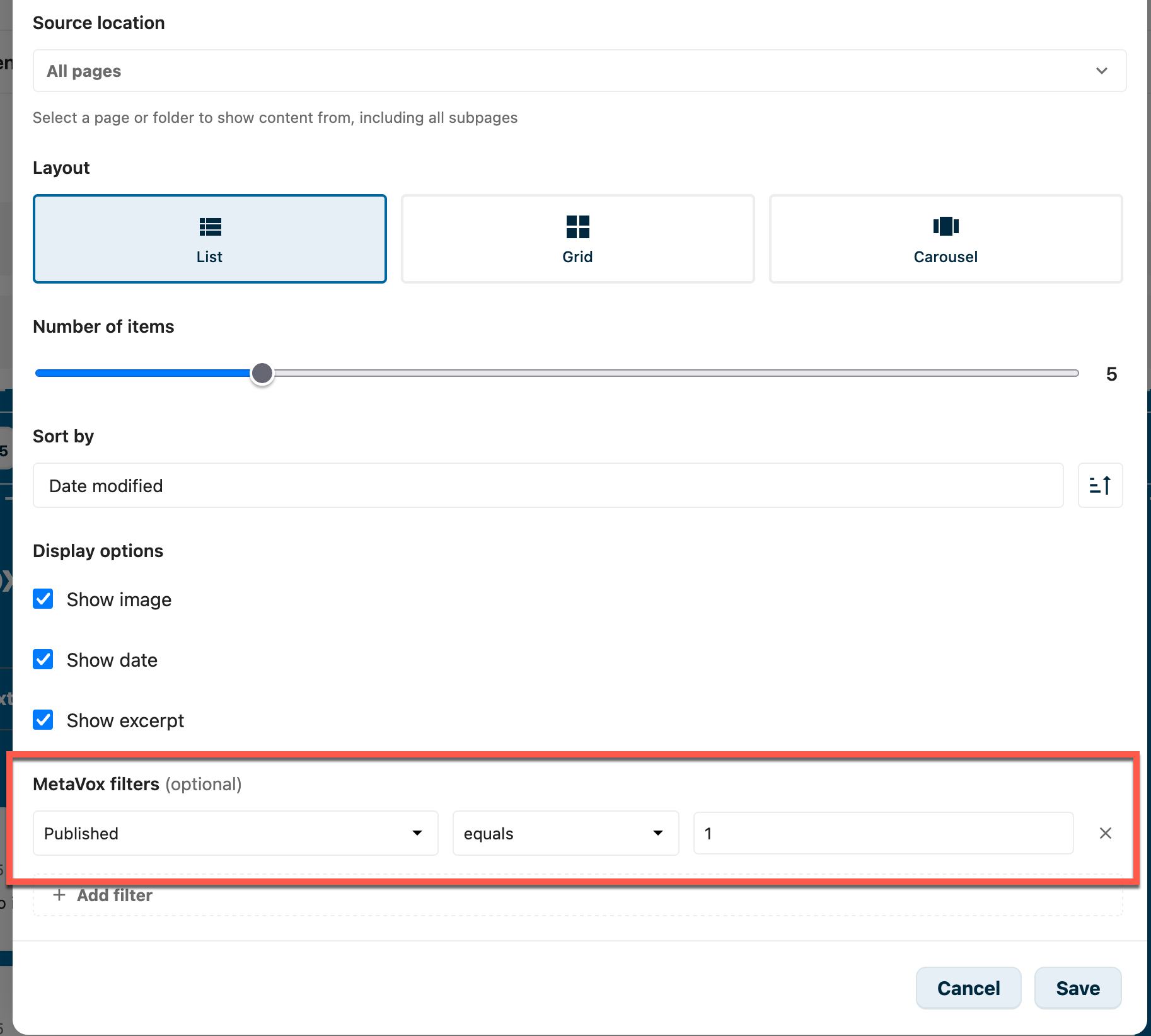
Adding Filters
- Click + Add filter in the MetaVox filters section
- Select a metadata field from the dropdown
- Choose an operator (equals, contains, is not empty)
- Enter a value to filter on
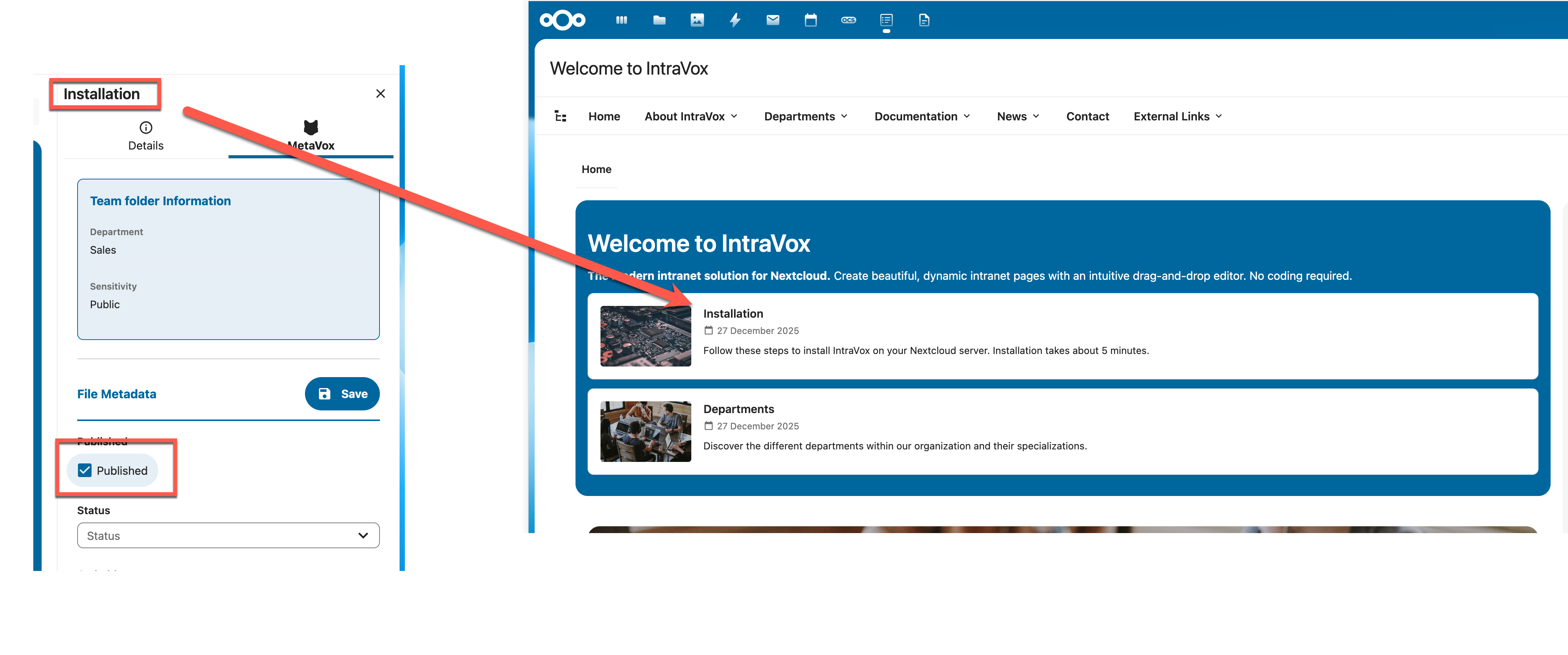
Filter Operators
| Operator | Description |
|---|---|
| equals | Exact match |
| contains | Partial match (text fields) |
| is not empty | Field has any value |
Checkbox Fields
For checkbox/boolean metadata fields:
- Use 1 for checked/true
- Use 0 for unchecked/false
Multiple Filters
When using multiple filters, you can choose: - Match all: All filters must match (AND logic) - Match any: At least one filter must match (OR logic)
Publication Date Filtering
Since 1.9.2 these dates apply everywhere, not just in the News Widget. Once the publish/expiration fields are configured, a page with a future publish date (or a passed expiration date) is hidden from readers throughout IntraVox — navigation, page tree, search, RSS and public shares — and becomes visible automatically the moment its publish time passes. See Scheduled publishing in the editor guide. The News Widget option below now only controls whether this list also applies the filter.
The News Widget can automatically filter pages based on publication and expiration dates. This allows you to schedule content to appear and disappear automatically.
How it Works
When enabled, pages are filtered based on two MetaVox date fields: - Publish date: The page becomes visible on this date and time - Expiration date: The page is hidden after this date and time
A page is visible when: - The publish date is empty OR the publish date is in the past - AND the expiration date is empty OR the expiration date is in the future
The comparison includes the time of day and is made in the instance's timezone, so a page scheduled for 15:00 today stays hidden until 15:00.
| Publish date | Expiration date | Now | Visible? |
|---|---|---|---|
| (empty) | (empty) | - | Yes |
| 2025-01-01 | (empty) | 2025-01-15 | Yes |
| 2025-02-01 | (empty) | 2025-01-15 | No |
| (empty) | 2025-01-20 | 2025-01-15 | Yes |
| (empty) | 2025-01-10 | 2025-01-15 | No |
| 2025-01-01 | 2025-01-31 | 2025-01-15 | Yes |
| 2025-01-15 15:00 | (empty) | 2025-01-15 14:00 | No |
| 2025-01-15 15:00 | (empty) | 2025-01-15 16:00 | Yes |
Setup
Step 1: Create MetaVox Fields
First, create two date fields in MetaVox:
- Open the MetaVox app
- Create a new field for the publish date (e.g., "Publish date")
- Create a new field for the expiration date (e.g., "Expiration date")
- Set both fields to type "Date"
Step 2: Configure Field Names in Admin Settings
- Go to Settings → IntraVox
- Open the Publication tab
- Enter the exact MetaVox field names:
- Publish date field: The name of your publish date field
- Expiration date field: The name of your expiration date field
- Click Save publication settings
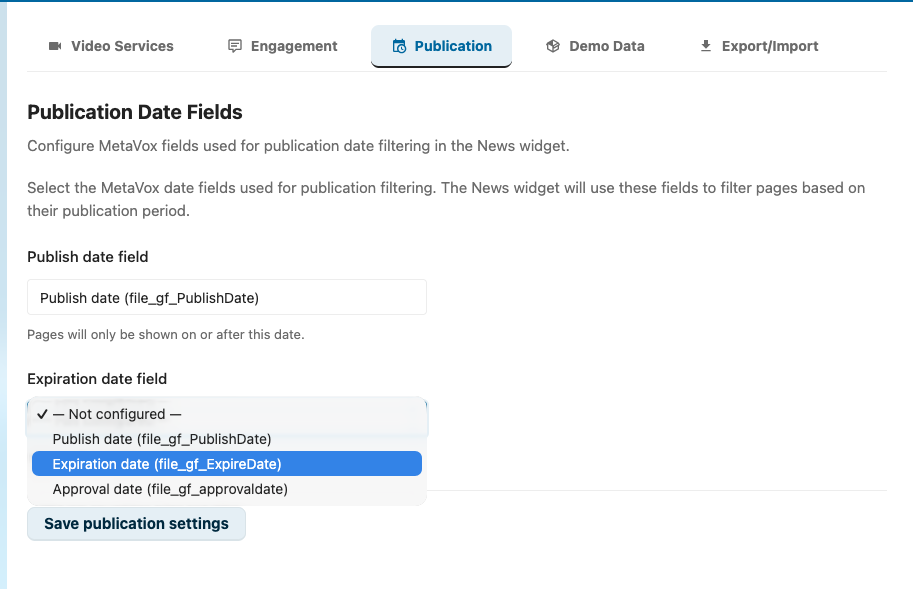
Admin settings — point IntraVox at the MetaVox date fields you created in Step 1. The dropdowns list every Date-typed field that MetaVox currently exposes.
Note: The field names must match exactly with the names in MetaVox, including capitalization.
Step 3: Set publish / expiration dates on each page
For pages that should be filtered, fill in the publish and expiration dates from the MetaVox sidebar:
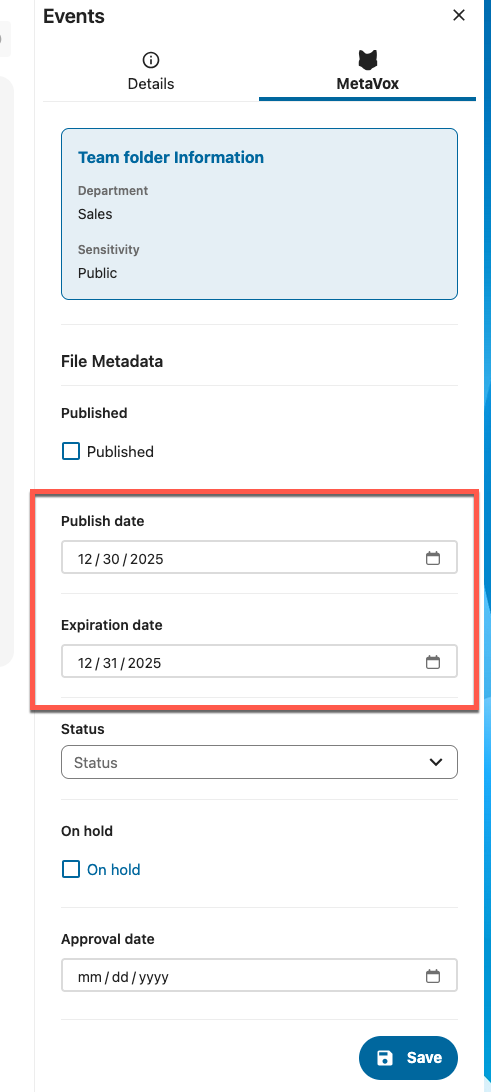
Open a page, click the MetaVox tab in the sidebar, and set Publish date / Expiration date. Pages outside that window are automatically hidden by the News Widget when publication filtering is enabled.
Step 4: Enable in News Widget
- Edit a page containing a News Widget
- Click on the News Widget to open the editor
- Check Show only published pages
- Save the page
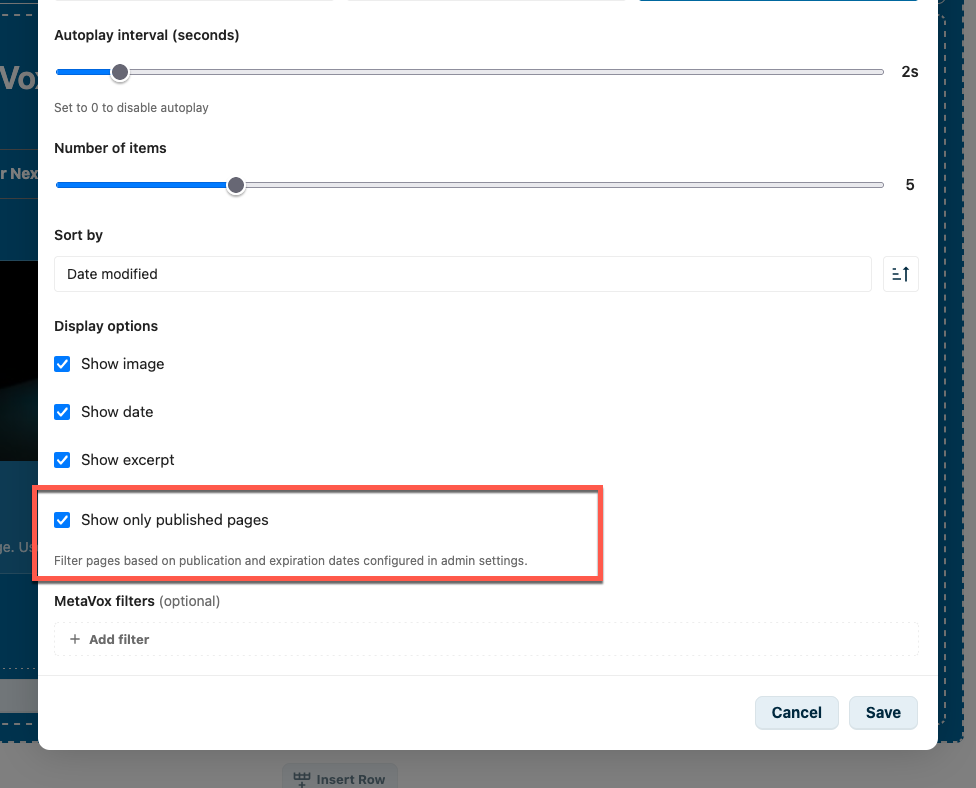
Display options section: tick Show only published pages to activate publication filtering for this News Widget instance.
Warnings
The News Widget editor will show warnings when:
- MetaVox is not installed: Publication filtering requires the MetaVox app
- Fields not configured: The admin needs to configure the publication date fields in Settings → IntraVox → Publication
Date Formats
The following date formats are supported:
- YYYY-MM-DD (e.g., 2025-01-15)
- DD-MM-YYYY (e.g., 15-01-2025)
- MM/DD/YYYY (e.g., 01/15/2025)
- DD/MM/YYYY (e.g., 15/01/2025)
- ISO 8601 with time (e.g., 2025-01-15T10:30:00)
Multilingual Field Names
If you use IntraVox in multiple languages, here are suggested field names:
| Language | Publish date | Expiration date |
|---|---|---|
| English | Publish date | Expiration date |
| Dutch | Publicatiedatum | Vervaldatum |
| German | Veröffentlichungsdatum | Ablaufdatum |
| French | Date de publication | Date d'expiration |
Tips
- Performance: Limit the number of items for better page load times
- Images: Pages need a featured image (first image widget) to display thumbnails
- Excerpts: Excerpts are automatically extracted from the first text content on each page
- Dark backgrounds: The widget automatically adjusts text colors when placed on dark row backgrounds
- Publication scheduling: Use publication dates for time-sensitive content like announcements or events
Requirements
- IntraVox 0.8.0 or higher
- MetaVox app (optional, for filtering and publication dates)