Administrator Guide
This guide describes day-to-day administration of RoomVox. For installation, see the Installation Guide.
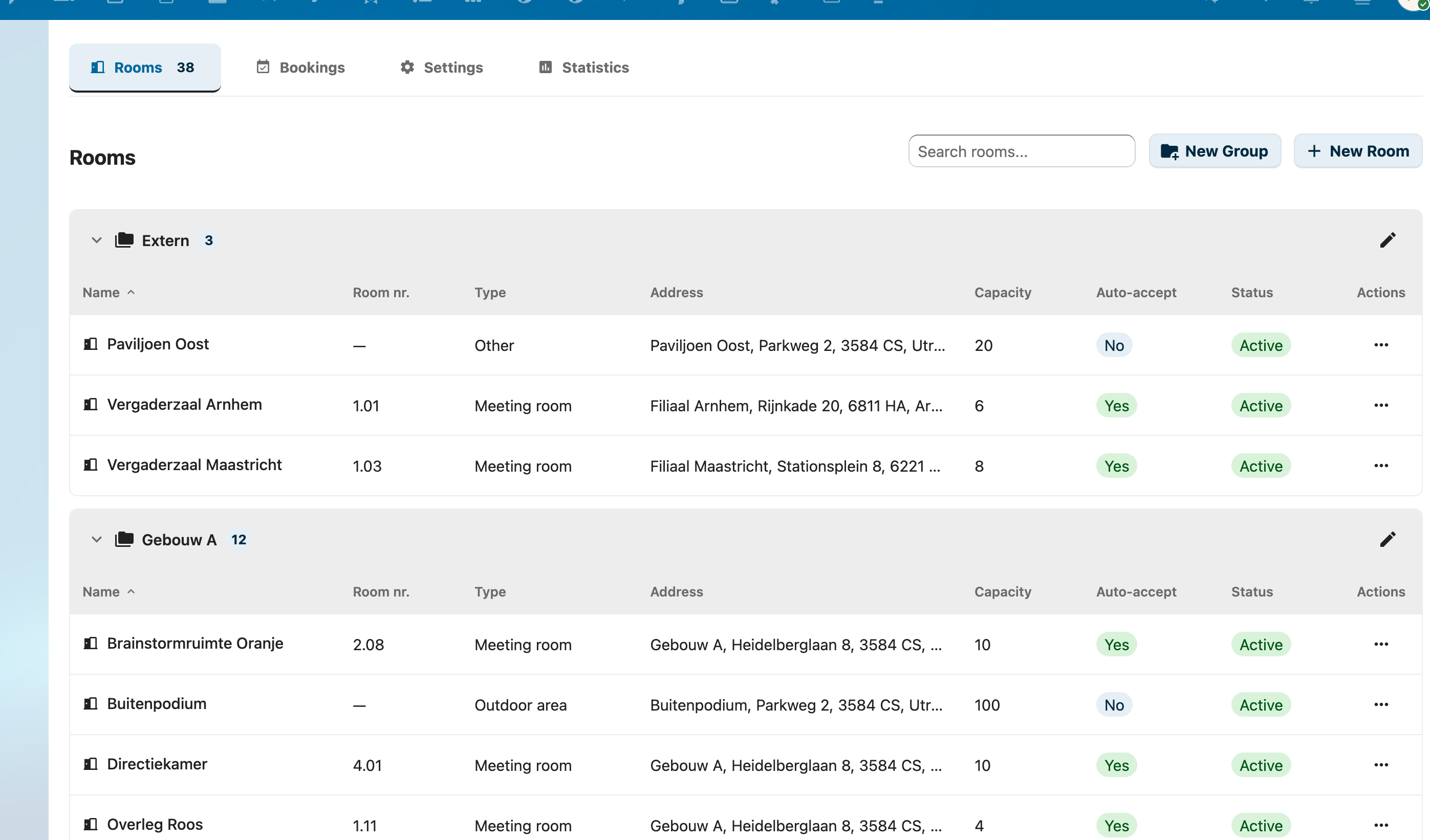
Overview
RoomVox is a CalDAV-native room booking app. Rooms appear as bookable resources in any calendar app — Nextcloud Calendar, Apple Calendar, Outlook, Thunderbird, eM Client — without a separate booking interface.
As an administrator you control:
- Rooms — name, capacity, type, address, facilities, availability rules (Managing Rooms)
- Permissions — who can view, book, and manage each room (Permissions)
- Email — Nextcloud SMTP, per-room SMTP, sender addresses (Email Configuration)
- Bulk operations — CSV import/export, MS365 migration (Import / Export)
- Optional integrations — Calendar patch (visual room browser), Exchange sync, Public API for displays/kiosks
- Settings — defaults, room types, email toggle, telemetry (Settings)
Accessing the Admin Panel
- Click your user avatar in the top right
- Select Settings (⚙️)
- Scroll down the left sidebar to Administration
- Click RoomVox
The admin panel has five tabs:
- Rooms — CRUD and permissions
- Bookings — approve, decline, reschedule, cancel
- Import / Export — bulk room management
- Settings — defaults, room types, email, API tokens, telemetry
- Statistics — usage data
Day-to-Day Tasks
| Task | Where | Reference |
|---|---|---|
| Create a room | Rooms tab → + New Room | Managing Rooms |
| Set who can book a room | Rooms tab → permissions icon | Permissions |
| Approve a pending booking | Bookings tab → filter Pending | Managing Bookings |
| Add/edit room types | Settings tab → Room Types | Settings |
| Bulk import rooms from MS365 | Import / Export tab → drag CSV | Import / Export |
| Create an API token | Settings tab → API Tokens | Public API |
| Disable telemetry | Settings tab → Support → toggle off | Telemetry |
Bookings and Approval
Each room has an auto-accept setting:
- Auto-accept on — bookings are confirmed immediately if there's no conflict
- Auto-accept off — bookings arrive as Tentative; a Manager must approve
Pending bookings appear in the Bookings tab. Managers receive an email when a new pending booking arrives. See the Approval Workflow feature page for the full flow.
How Effective Permissions Work
Permissions are stored at two levels:
- Room-level — entries on a specific room
- Room group level — entries on a room group, inherited by all member rooms
Effective permissions are the union of both levels. Nextcloud administrators always have full access regardless of explicit permissions.
If a room has no permissions configured (and no group permissions apply), all authenticated users can book it — only Nextcloud admins can manage. Once you configure any permission, only the listed users/groups have access. See Permissions.
Email Notifications
RoomVox sends nine notification types — booking confirmed, declined, conflict, horizon exceeded, outside availability, approval request, cancellation, and others. See Email Notifications for the full matrix.
Requirements:
- Nextcloud SMTP configured in Settings → Administration → Basic settings → Email server
- Email notifications enabled in RoomVox Settings tab
- Users have email addresses in their Nextcloud profile
occ config:app:set dav sendInvitations --value yesfor iMIP invitations to external attendees
See Email Configuration for SMTP details and per-room SMTP setup.
Per-Room SMTP
Each room can have its own SMTP server, so notifications appear to come from the room's own mailbox. Passwords are encrypted via Nextcloud's ICrypto. See Email Configuration → Per-Room SMTP.
Optional: Calendar Patch
The optional Calendar Patch replaces Nextcloud Calendar's minimal resource picker with a full room browser — grouping by building, real-time availability, multi-filter chips, search by name/address/floor. Deploy with ./deploy-calendar.sh <target>.
Optional: Public API
The Public API provides Bearer-token authenticated REST endpoints for external integrations (room displays, kiosks, digital signage). Three scopes: read, book, admin. Tokens can be scoped to specific rooms.
Next Steps
- Settings reference — every admin option in detail
- Managing Rooms — full CRUD walkthrough
- Permissions — roles, inheritance, CalDAV visibility
- Best Practices — recommended patterns
- Troubleshooting — common issues
- FAQ — frequently asked questions